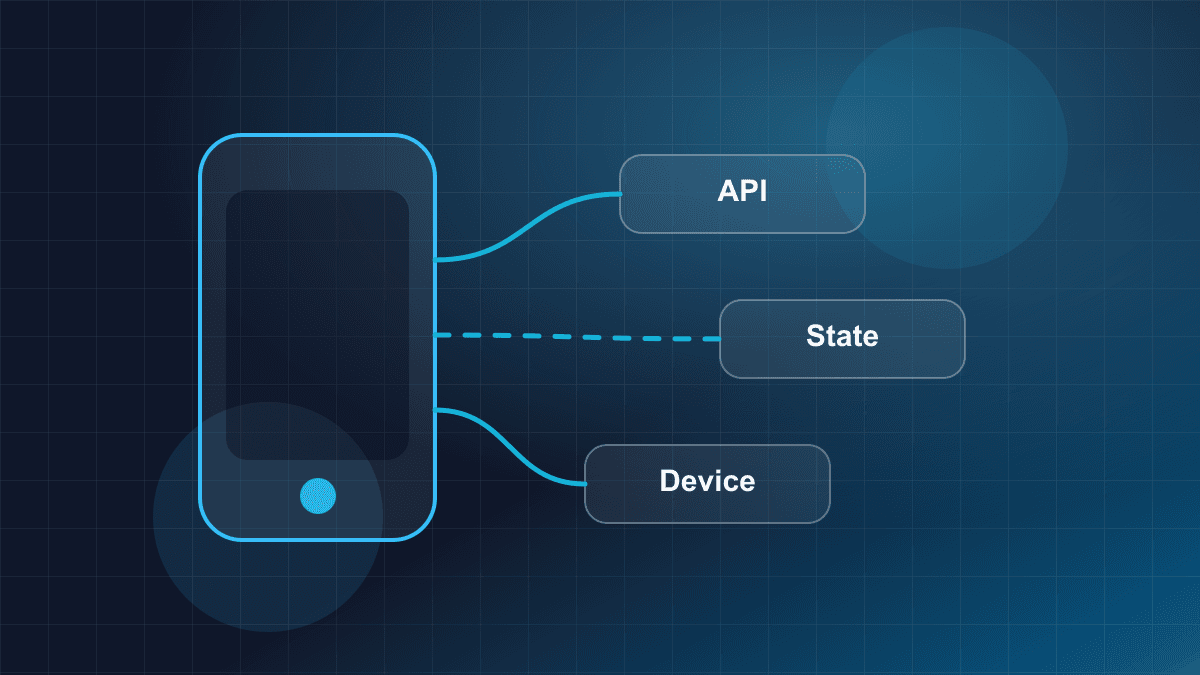
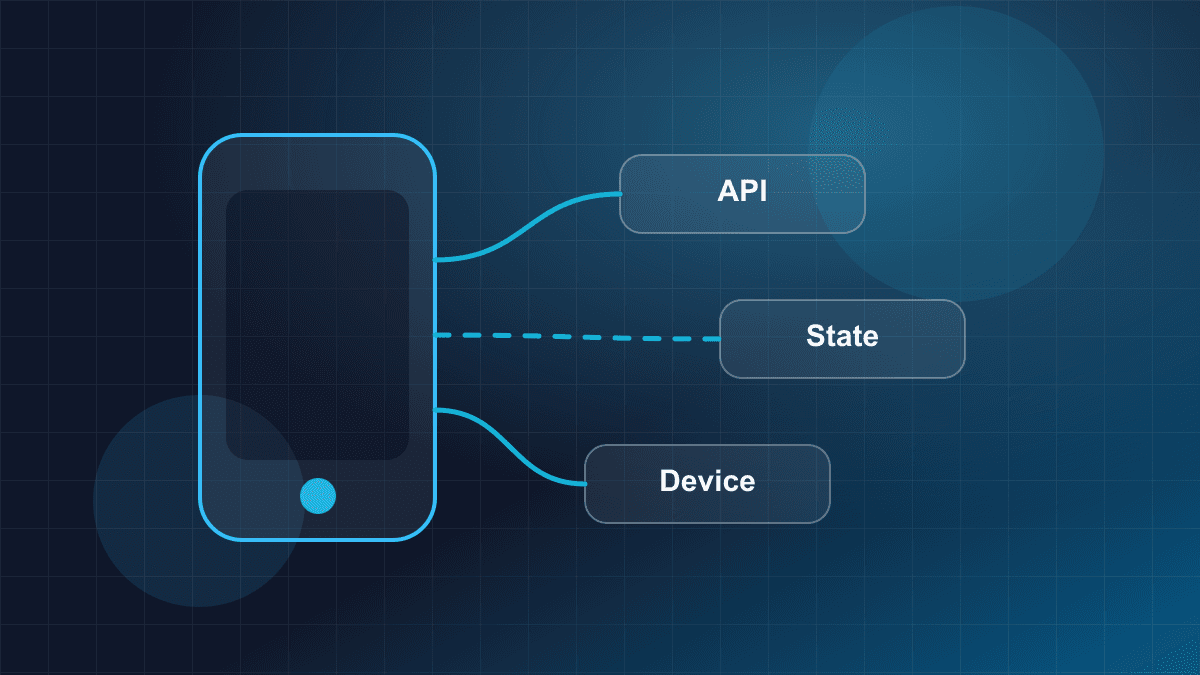
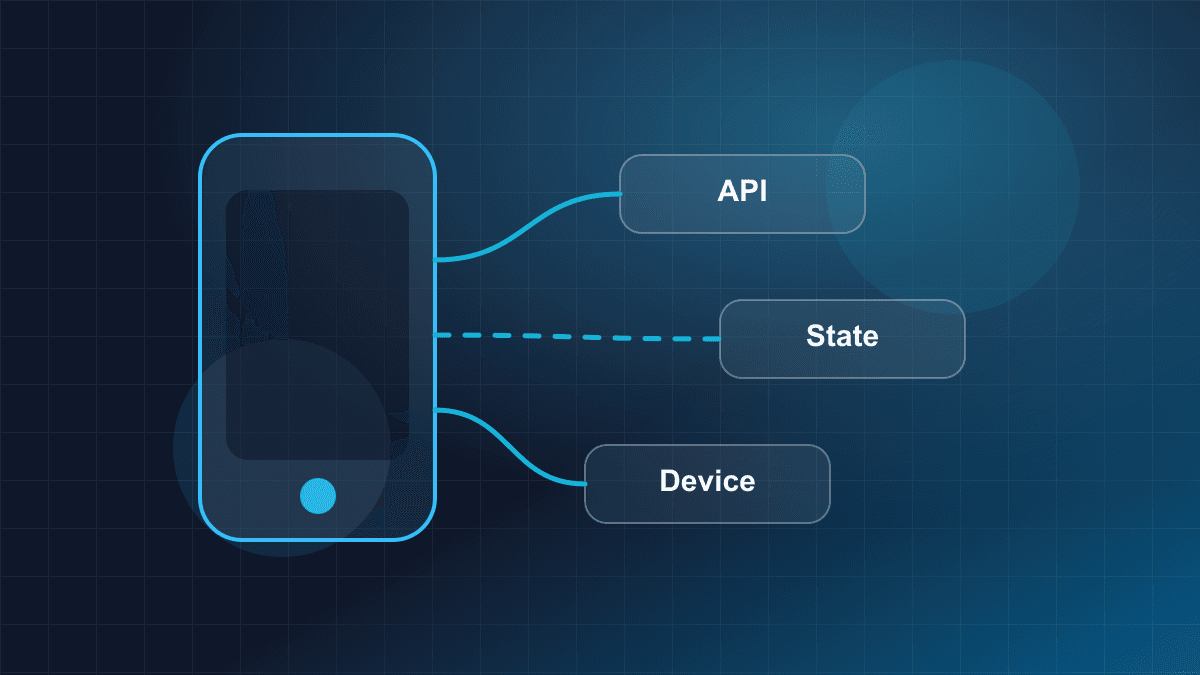
Flutter Navigation Architecture for Large Applications
Architecting enterprise Flutter navigation: Navigator 1.0 vs 2.0, declarative routing with go_router, nested shell tabs, reactive auth guards, and deep linking.
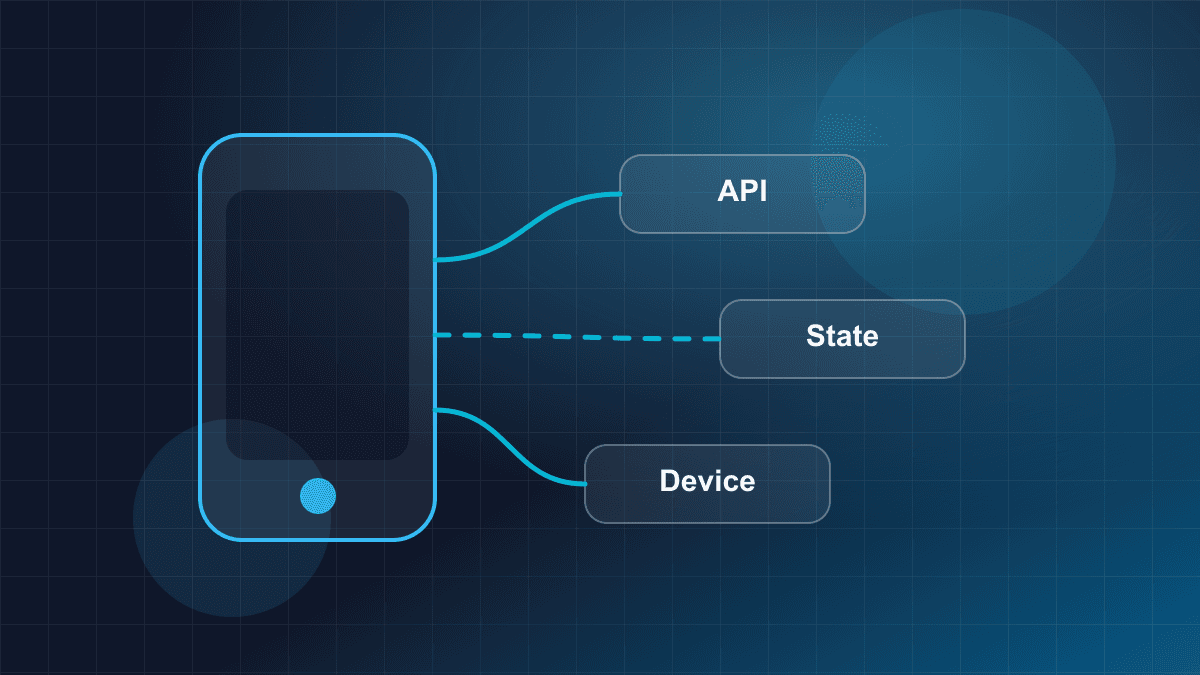
Flutter Navigation Architecture for Large Applications
In small Flutter prototypes, navigation is deceptively simple. Pushing a widget onto the screen with Navigator.of(context).push() requires only a single line of code. However, when an application evolves into an enterprise product—spanning dozens of feature modules, nested tab hierarchies, role-based access guards, and incoming operating system deep links—that imperative approach breaks down.
Large-scale mobile architectures require navigation to be treated as an application-level infrastructure concern rather than an ad-hoc UI gesture. A robust navigation layer must synchronize browser URLs on Flutter Web, manage parallel back stacks across persistent bottom tabs, reactively redirect users when authentication tokens expire, and safely recover from deep links during cold starts.
This guide provides an architectural blueprint for structuring navigation in large Flutter applications using modern Dart 3 idioms and declarative routing principles.
1. The Navigation Dilemma in Enterprise Applications
In multi-module Flutter codebases, navigation failure rarely stems from missing framework widgets. It stems from architectural coupling across four distinct boundaries:
┌─────────────────────────────────────────────────────────────┐
│                 ENTERPRISE NAVIGATION CONCERNS              │
├──────────────────────────────┬──────────────────────────────┤
│ 1. URL & Deep Link Sync      │ 2. Lifecycle & Session       │
│    - Web address bar state   │    - Token expiration        │
│    - Universal / App Links   │    - Role authorization      │
│    - Cold/warm entry points  │    - Interrupted checkout    │
├──────────────────────────────┼──────────────────────────────┤
│ 3. Multi-Tab State           │ 4. Decoupled Modularization  │
│    - Preserving scroll state │    - Feature isolation       │
│    - Independent back-stacks │    - Type-safe parameter DTOs│
│    - Modal overlays over tabs│    - Testable route dispatch │
└──────────────────────────────┴──────────────────────────────┘
When these four concerns are managed imperatively within individual presentation widgets:
- UI widgets become tightly coupled to specific target screens, preventing modular code splitting;
- Authentication checks are scattered across button callbacks, introducing security oversights and race conditions;
- Deep links arriving from mobile browsers or push notifications fail to construct the required parent stack hierarchy;
- Switching bottom navigation tabs destroys user input and scroll positions, creating a jarring user experience.
To address these systemic coupling points, modern Flutter engineering has moved decisively toward declarative, URL-driven routing.
2. Architectural Evolution: Navigator 1.0, 2.0, and Declarative Routing
To understand modern Flutter navigation, consider the architectural evolution of Flutter's navigation subsystems.
┌─────────────────┐       ┌─────────────────┐       ┌─────────────────┐
│  Navigator 1.0  │  ──>  │  Navigator 2.0  │  ──>  │    go_router    │
│   (Imperative)  │       │  (Router Prims) │       │  (Declarative)  │
│ push/pop stack  │       │ Pages & Delegate│       │ URL-driven DSL  │
└─────────────────┘       └─────────────────┘       └─────────────────┘
Navigator 1.0: Imperative Stack Manipulation
In Flutter's original navigation API (Navigator 1.0), the navigation history is an opaque imperative stack managed directly via calls such as:
Navigator.of(context).push(
  MaterialPageRoute(builder: (context) => const OrderDetailScreen(orderId: '42')),
);
While intuitive for simple mobile apps, Navigator 1.0 suffers from critical architectural limitations:
- No Bi-directional URL Synchronization: On Flutter Web, the browser's address bar does not update predictably when routes are pushed. When a user presses the browser's Back button, the browser history pops independently of the Flutter navigator stack, leading to state desynchronization.
- Broken Deep Link Reconstruction: If a user enters the app via a deep link (e.g.,
/orders/42), Navigator 1.0 has no built-in mechanism to reconstruct the underlying parent navigation hierarchy (such as/ordersand/dashboard). Pressing the app's top app-bar back button immediately exits the application rather than returning to the parent list screen. - No Declarative Route Guards: Protecting routes requires wrapping widget builders with manual lifecycle listeners or checking conditions inside every user interaction callback.
Navigator 2.0: Declarative Pages API and Low-Level Primitives
Flutter 1.22 introduced Navigator 2.0 (the Router API) to address the requirements of Flutter Web and complex deep linking. Navigator 2.0 makes the navigation stack a pure, declarative reflection of application state:
Navigation Stack = f(Application State)
Navigator 2.0 introduced four core low-level primitives:
RouteInformationProvider: Listens to platform-level operating system messages (e.g., incoming browser URL updates or OS intents).RouteInformationParser: Parses incoming raw platform string paths into structured application route configuration objects.RouterDelegate: Listens to application state changes and builds a declarative list ofPageobjects representing the current stack.BackButtonDispatcher: Intercepts physical back button presses from the Android operating system or browser back actions.
While architecturally sound, raw Navigator 2.0 requires immense boilerplate. Implementing a simple master-detail flow with authentication checks requires substantial boilerplate across custom delegates, parser classes, and state synchronization machinery, creating high cognitive load and custom state-sync bugs across development teams.
The Modern Standard: Declarative Routing (go_router)
The official go_router package wraps Navigator 2.0's low-level primitives into a declarative, URL-based domain-specific language (DSL). It provides:
- Clean declarative route declarations using URL path syntax (
/orders/:orderId); - Automatic bi-directional synchronization with the browser address bar and history API;
- Seamless handling of nested branch navigators with persistent tab states (
StatefulShellRoute); - Reactive redirect guards linked directly to authentication state providers;
- Out-of-the-box integration with iOS Universal Links and Android App Links.
Navigation Paradigm Comparison
| Dimension | Navigator 1.0 (Imperative) | Navigator 2.0 (Raw Primitives) | Declarative Router (go_router) |
| :--- | :--- | :--- | :--- |
| Paradigm | Imperative (push, pop, pushNamed) | Declarative state-driven (pages = f(state)) | Declarative URL-driven routing DSL |
| Web & Browser History | Fragile; address bar desynchronization | Full bidirectional synchronization | Full bidirectional synchronization |
| Boilerplate Overhead | Low (initial), High (custom deep link hacks) | Extremely high (custom parsers & delegates) | Low to moderate (declarative configuration) |
| Deep Link Stack Rebuilding | Manual push chaining required | Declaratively configured via page list | Automatic ancestor path reconstruction |
| Nested Tab State | Requires nested Navigators and custom keys | Manual multi-delegate orchestration | Built-in via StatefulShellRoute.indexedStack |
| Route Protection / Guards | Ad-hoc checks in widget lifecycles | Custom state machine inside delegate | Centralized reactive redirect callback |
3. Critical Navigation Semantics: context.go() vs. context.push() vs. context.replace()
The most common source of navigation bugs in applications using go_router is confusing declarative URL transitions (context.go()), imperative stack pushes (context.push()), and stack replacements (context.replace()).
Route Configuration:
  /products
  └── /products/:id
  /cart
context.go(path): Declarative URL Transition
When you invoke context.go('/products/42'):
go_routerparses the target path against the declared route tree.- It identifies the target route's branch and ancestral hierarchy (
/->/products->/products/42). - It reconstructs the active navigator stack to match the declared path structure.
- If navigating from an unrelated branch (e.g.,
/cart),go()replaces the current stack with the new path hierarchy.
When the user taps the top-left Back button on /products/42, go_router pops the screen and reveals /products, adhering strictly to the declared route hierarchy.
context.push(path): Imperative Stack Push
When you invoke context.push('/products/42'):
go_routermatches the path to retrieve the target widget page builder.- It pushes that page directly on top of the current active navigator stack, regardless of where the route lives in the declared tree hierarchy.
- The underlying branch or ancestor stack is untouched.
If you are on /cart and call context.push('/products/42'), popping the product detail screen returns you directly to /cart, because /products/42 was pushed on top of the cart stack.
┌─────────────────────────────────────────────────────────────┐
│                 STACK COMPARISON: go() vs push()            │
├─────────────────────────────────────────────────────────────┤
│ Scenario: User is on /cart and navigates to /products/42   │
│                                                             │
│ context.go('/products/42')       context.push('/products/42')│
│ ┌───────────────────────┐        ┌─────────────────────────┐│
│ │ ProductDetailScreen   │        │ ProductDetailScreen     ││
│ ├───────────────────────┤        ├─────────────────────────┤│
│ │ ProductsListScreen    │        │ CartScreen              ││
│ └───────────────────────┘        └─────────────────────────┘│
│ Pop returns to: /products        Pop returns to: /cart      │
└─────────────────────────────────────────────────────────────┘
context.replace(path): In-Place Page Replacement
When you invoke context.replace('/order-confirmed/42'):
go_routerremoves the current top route from the active navigator stack.- It inserts the replacement route at that exact position without modifying the routes beneath it.
- On Flutter Web, it updates the current browser URL without creating an additional back-stack entry.
This pattern is essential for non-reentrant UI steps—such as completing an order checkout, resetting a password, or advancing through a multi-step submission wizard—where pressing the hardware Back button should not return the user to the form they just finalized.
Defensive Popping with context.canPop()
When handling back actions in custom UI controls, invoking context.pop() without checking stack depth can throw an exception if the user entered the screen directly via an external deep link or cold browser launch:
// ✅ DEFENSIVE POP PATTERN: Graceful fallback when stack has no parent
void handleBackNavigation(BuildContext context) {
  if (context.canPop()) {
    context.pop();
  } else {
    context.go('/home');
  }
}
Semantic Comparison Matrix
| Feature | context.go(location) | context.push(location) | context.replace(location) |
| :--- | :--- | :--- | :--- |
| Primary Intent | Declarative state transition | Imperative modal / transient overlay | In-place screen substitution |
| Stack Modification | Replaces active stack to match URL hierarchy | Pushes a new page on top of current stack | Replaces topmost page on current stack |
| Back Button Behavior | Pops to parent route in declared URL hierarchy | Pops back to the exact caller screen | Pops to the screen beneath the replaced route |
| Browser History on Web | Updates URL and pushes new history entry | Updates URL and pushes entry on current stack | Replaces current URL history entry in-place |
| Recommended Use Case | Top-level tabs, major feature transitions, deep links | Fullscreen modals, image viewers, transient flows | Checkout completion, wizard transitions |
4. Parameter Passing and State Persistence: The extra Hazard
In Flutter routing, passing data between screens can be achieved through three primary mechanisms:
- Path Parameters: Embedded in the URL segment (
/users/:userId). - Query Parameters: Appended to the URL (
/search?query=mobile&sort=desc). - The
extraParameter: Passing an in-memory Dart object instance (context.go('/profile', extra: userProfileObject)).
The Catastrophic Failure Modes of extra
The extra parameter appears convenient during initial mobile development because it allows passing complex in-memory object graphs without serialization:
// ❌ HIGH RISK IN PRODUCTION: Passing complex in-memory instances via extra
context.go('/orders/details', extra: orderDto);
However, in production enterprise applications, relying on extra introduces severe failure modes:
┌─────────────────────────────────────────────────────────────┐
│                 THE "extra" PARAMETER HAZARDS               │
├──────────────────────────────┬──────────────────────────────┤
│ 1. Flutter Web Refresh (F5)  │ The browser reloads from URL.│
│                              │ In-memory heap is reset;     │
│                              │ state.extra evaluates to null│
├──────────────────────────────┼──────────────────────────────┤
│ 2. Deep Link Cold Entry      │ OS launches app via URI.     │
│                              │ No in-memory object exists;  │
│                              │ state.extra is null.         │
├──────────────────────────────┼──────────────────────────────┤
│ 3. OS Process Death          │ App killed in background.    │
│                              │ Route path is restored;      │
│                              │ extra reference is lost.     │
└──────────────────────────────┴──────────────────────────────┘
If the target screen expects state.extra as OrderDto without defensive validation, the application crashes immediately with a TypeError or NullCheckError whenever a user refreshes the browser, clicks a shared deep link, or resumes the app after OS memory reclamation.
The Architectural Best Practice: Entity IDs and Caching
For enterprise reliability, treat the URL as the single source of truth for resource identity:
- Pass lightweight, serializable entity IDs in path parameters (
/orders/:orderId). - Pass optional filters, pagination offsets, and display preferences in query parameters.
- Use your application's domain/data layer (e.g., a repository backed by an in-memory cache or local database) to resolve the full entity by its ID inside the target screen or its ViewModel.
// ✅ PRODUCTION PATTERN: URL identity with asynchronous cache retrieval
GoRoute(
  path: '/orders/:orderId',
  builder: (context, state) {
    final orderId = state.pathParameters['orderId']!;
    return OrderDetailScreen(
      orderId: orderId,
      // Optional initial object for instant rendering, with graceful null fallback
      preloadedOrder: state.extra as OrderSummary?,
    );
  },
),
Inside OrderDetailScreen, if preloadedOrder is provided, the UI displays cached data instantly. If it is null (due to a deep link or web reload), the screen triggers an asynchronous fetch via its repository using orderId, displaying a skeleton loader while retrieving data.
5. Nested Routing and Branch State Preservation: ShellRoute vs. StatefulShellRoute
A central requirement of mobile user experience is tabbed navigation (such as a bottom navigation bar or a desktop navigation rail). Users expect each tab to maintain its own independent navigation history, scroll offset, and unsubmitted form inputs when switching between tabs.
┌─────────────────────────────────────────────────────────────┐
│              PARALLEL MULTI-BRANCH TAB STACKS               │
├──────────────────────────────┬──────────────────────────────┤
│      Branch 1: Dashboard     │       Branch 2: Profile      │
│ ┌──────────────────────────┐ │ ┌──────────────────────────┐ │
│ │ MetricDetailScreen       │ │ │ SecuritySettingsScreen   │ │
│ ├──────────────────────────┤ │ ├──────────────────────────┤ │
│ │ DashboardHomeScreen      │ │ │ ProfileOverviewScreen    │ │
│ └──────────────────────────┘ │ └──────────────────────────┘ │
│        Navigator 1           │          Navigator 2         │
├──────────────────────────────┴──────────────────────────────┤
│              Persistent Bottom Navigation Bar               │
└─────────────────────────────────────────────────────────────┘
In go_router, nested routing is handled by two distinct constructs: ShellRoute and StatefulShellRoute.
ShellRoute: Stateless Container
ShellRoute places a shared UI wrapper (such as a Scaffold with a BottomNavigationBar) around child routes. However, ShellRoute uses a single shared Navigator.
When a user switches from /dashboard to /profile:
- The child widget tree for the dashboard branch is completely unmounted and disposed;
- All scroll offsets in list views are lost;
- Text field inputs are discarded unless explicitly persisted in external global state;
- If the user had navigated deep into a sub-route on the dashboard, switching tabs resets that tab back to its root.
StatefulShellRoute.indexedStack: Stateful Parallel Branches
StatefulShellRoute.indexedStack provisions an independent, isolated Navigator instance for each branch inside Flutter's IndexedStack widget:
StatefulShellRoute.indexedStack(
  builder: (context, state, navigationShell) {
    return ScaffoldWithNestedNavigation(navigationShell: navigationShell);
  },
  branches: [
    StatefulShellBranch(
      routes: [
        GoRoute(
          path: '/home',
          builder: (context, state) => const HomeScreen(),
          routes: [
            GoRoute(
              path: 'details/:id',
              builder: (context, state) => DetailScreen(id: state.pathParameters['id']!),
            ),
          ],
        ),
      ],
    ),
    StatefulShellBranch(
      routes: [
        GoRoute(
          path: '/settings',
          builder: (context, state) => const SettingsScreen(),
        ),
      ],
    ),
  ],
)
Each branch maintains its own parallel navigation stack in memory:
- State Preservation: When the user switches between
/homeand/settings, neither widget tree is disposed. Scroll positions and form controllers remain active. - Independent History: Navigating to
/home/details/101stays on the/homebranch. Tapping/settingsswitches to settings. Tapping/homeagain returns the user directly to/home/details/101. - URL Synchronization: The browser address bar updates between
/home/details/101and/settingswhile maintaining stack state.
Full-Screen Modals Across Shell Tabs via parentNavigatorKey
By default, any child GoRoute declared inside a branch of StatefulShellRoute is pushed onto that branch's nested Navigator. Consequently, the persistent bottom navigation bar remains visible beneath the screen.
When a feature requires a full-screen presentation—such as an item checkout, video player, camera capture screen, or onboarding flow—you configure the route with parentNavigatorKey: rootNavigatorKey:
// ✅ Bypasses the tab shell navigator to display full-screen over the bottom bar
GoRoute(
  path: 'checkout/:itemId',
  parentNavigatorKey: rootNavigatorKey,
  builder: (context, state) {
    final itemId = state.pathParameters['itemId'] ?? 'unknown';
    return CheckoutScreen(itemId: itemId);
  },
),
Setting parentNavigatorKey targets the top-level NavigatorState defined on the root GoRouter. The target widget covers the entire window, including the bottom navigation bar, while preserving the URL path hierarchy and allowing normal pop transitions back to the underlying tab.
Architectural Matrix: ShellRoute vs StatefulShellRoute
| Evaluation Metric | ShellRoute | StatefulShellRoute.indexedStack |
| :--- | :--- | :--- |
| Internal Navigators | Single shared Navigator | Separate Navigator per branch |
| Widget State on Switch | Disposed and reconstructed | Preserved in memory via IndexedStack |
| Scroll Position | Reset to zero on tab switch | Preserved across tab switches |
| Sub-route Retention | Resets to root of target branch | Preserves nested sub-route stack |
| Full-Screen Overlays | Requires manual visibility state | Supported declaratively via parentNavigatorKey |
| Memory Footprint | Lower (only active screen mounted) | Slightly higher (all branch widgets kept alive) |
| Recommended Use Case | Responsive layout wrappers, sidebars without state | Mobile bottom navigation bars, persistent tabbed layouts |
6. Authentication Guards and Reactive Redirection
In client-side applications, route guards are UX transitions that guide users toward required authentication or onboarding flows. (Definitive security enforcement occurs on backend servers through cryptographically validated session tokens and authorization checks).
Guard Types: Global vs. Route-Level
- Global Redirect: Configured on the root
GoRouter(redirect: ...)constructor. It executes on every navigation event before route matching completes. It is ideal for broad session validation (e.g., redirecting unauthenticated users to/login). - Route-Level Redirect: Configured on specific
GoRoute(redirect: ...)instances. It executes only when that specific route or its children are matched. It is ideal for fine-grained role checks (e.g., verifying if an authenticated user possessesRole.adminbefore rendering/admin).
The Reactive Guard Pattern with refreshListenable
A common anti-pattern is imperatively calling context.go('/login') from inside an authentication repository when a token expires. This tightly couples the data layer to UI routing.
The declarative pattern connects the router directly to an authentication state notifier using refreshListenable:
class AuthNotifier extends ChangeNotifier {
  bool _isAuthenticated = false;
  bool get isAuthenticated => _isAuthenticated;

  void updateAuthentication(bool authenticated) {
    _isAuthenticated = authenticated;
    notifyListeners(); // Automatically triggers router redirection re-evaluation
  }
}
When provided to GoRouter(refreshListenable: authNotifier), any call to notifyListeners() causes go_router to immediately re-evaluate its redirect logic without requiring manual navigation calls.
Preventing Infinite Redirect Loops
The most catastrophic bug in declarative routing is the infinite redirect loop:
User navigates to /dashboard (unauthenticated)
       ↓
Guard returns '/login'
       ↓
Router navigates to /login
       ↓
Guard re-evaluates: user still unauthenticated, returns '/login'
       ↓
Router navigates to /login ──> [ INFINITE RECURSIVE CRASH ]
To prevent infinite redirect loops, guard logic must strictly compare the destination route against the current location using state.matchedLocation:
String? authGuard(BuildContext context, GoRouterState state) {
  final isAuthenticated = authNotifier.isAuthenticated;
  final isLoggingIn = state.matchedLocation == '/login';

  // 1. If not authenticated and trying to access a protected route
  if (!isAuthenticated) {
    // If already heading to /login, allow navigation (return null)
    return isLoggingIn ? null : '/login';
  }

  // 2. If authenticated and trying to access the login screen
  if (isLoggingIn) {
    return '/home';
  }

  // 3. No redirection required
  return null;
}
Preserving Target Destination for Post-Login Redirection
When an unauthenticated user attempts to access a protected deep link (such as /home/item/4092), redirecting them blindly to /login causes them to land on /home after logging in, losing their intended context.
To preserve the intended destination, capture the target location in a URL query parameter:
String? authGuardWithDestination(BuildContext context, GoRouterState state) {
  final isAuthenticated = authNotifier.isAuthenticated;
  final isLoggingIn = state.matchedLocation == '/login';

  if (!isAuthenticated) {
    if (isLoggingIn) return null;
    final target = state.matchedLocation;
    return target == '/home' ? '/login' : '/login?from=${Uri.encodeComponent(target)}';
  }

  if (isLoggingIn) {
    final from = state.uri.queryParameters['from'];
    return (from != null && from.isNotEmpty) ? from : '/home';
  }

  return null;
}
When the user logs in, refreshListenable re-evaluates the guard. Because the user is now authenticated and currently at /login, the guard inspects state.uri.queryParameters['from'] and automatically forwards them to their originally requested screen.
7. Deep Linking & Mobile Operating System Integration
Deep linking allows users to click an external link (in an email, web page, or messaging app) and transition directly into a specific screen inside the Flutter application.
External Link: https://example.com/orders/8192
                     │
                     ▼
┌─────────────────────────────────────────────────────────────┐
│                   OPERATING SYSTEM KERNEL                   │
│   iOS (Universal Links)     Android (App Links)             │
│   Verifies: AASA file       Verifies: assetlinks.json       │
└──────────────────────────────┬──────────────────────────────┘
                                │ Domain matched & verified
                                ▼
┌─────────────────────────────────────────────────────────────┐
│                 FLUTTER ENGINE & GO_ROUTER                  │
│   Cold Start: Launch Intent parsed into initialLocation      │
│   Warm Start: Incoming URI updates current route state      │
│   Builds stack: / -> /orders -> /orders/8192                │
└─────────────────────────────────────────────────────────────┘
Domain Verification Architecture
Modern mobile operating systems prohibit unverified apps from intercepting standard HTTP/HTTPS domains. To establish domain ownership:
1. iOS Universal Links
- Host an Apple App Site Association (AASA) JSON file at:
https://example.com/.well-known/apple-app-site-association - Served over HTTPS with
Content-Type: application/jsonand no.jsonfile extension. - Configure the
Associated Domainsentitlement in Xcode:applinks:example.com.
2. Android App Links
- Host a Digital Asset Links JSON file at:
https://example.com/.well-known/assetlinks.json - Contains your app's package name and SHA-256 certificate fingerprint.
- Add an intent filter in
AndroidManifest.xmlwithandroid:autoVerify="true"andandroid:scheme="https".
Cold-Start vs. Warm-Start Lifecycles
In production, deep links arrive under two distinct operating conditions:
- Cold Start (Process Inactive): The app process is not running in device memory. The operating system launches the Flutter activity with the deep link URI embedded in the launch intent.
GoRouterreads the initial platform message and initializes the route state directly at that path, automatically generating the ancestor route stack. - Warm Start (Process Backgrounded): The app is suspended in memory. The user taps a link, triggering
onNewIntenton Android oropenURLon iOS. The platform channel pushes the URI to the running Flutter engine, causinggo_routerto transition to the new location while preserving existing background state.
Defensive Route Fallbacks
Every production navigation architecture must configure an errorBuilder or errorPageBuilder. If a deep link contains a broken or deprecated route pattern (e.g., /legacy-promo?code=expired), the router must render a dedicated Not Found screen with a clear button redirecting the user safely back to /home.
8. End-to-End Production Implementation: Complete GoRouter Architecture
The following self-contained, syntactically valid Dart 3 implementation demonstrates a production-grade routing architecture featuring:
- Reactive authentication redirection with loop prevention and post-login destination recovery;
StatefulShellRoute.indexedStackmanaging independent tab branches;- Full-screen route rendering bypassing the tab bar via
parentNavigatorKey; - Type-safe parameter extraction and defensive popping;
- Graceful 404 error handling.
import 'package:flutter/material.dart';
import 'package:go_router/go_router.dart';

// ============================================================================
// 1. AUTHENTICATION STATE NOTIFIER
// ============================================================================

class AppAuthState extends ChangeNotifier {
  bool _isAuthenticated = false;
  bool get isAuthenticated => _isAuthenticated;

  void logIn() {
    _isAuthenticated = true;
    notifyListeners();
  }

  void logOut() {
    _isAuthenticated = false;
    notifyListeners();
  }
}

// Keys for managing root overlays and tab branches
final GlobalKey<NavigatorState> rootNavigatorKey = GlobalKey<NavigatorState>(debugLabel: 'root');
final GlobalKey<NavigatorState> _shellNavigatorHomeKey = GlobalKey<NavigatorState>(debugLabel: 'shellHome');
final GlobalKey<NavigatorState> _shellNavigatorSettingsKey = GlobalKey<NavigatorState>(debugLabel: 'shellSettings');

// ============================================================================
// 2. ROUTER CONFIGURATION
// ============================================================================

GoRouter createRouter(AppAuthState authState) {
  return GoRouter(
    navigatorKey: rootNavigatorKey,
    initialLocation: '/home',
    refreshListenable: authState,
    redirect: (BuildContext context, GoRouterState state) {
      final isAuthenticated = authState.isAuthenticated;
      final isLoggingIn = state.matchedLocation == '/login';

      if (!isAuthenticated) {
        if (isLoggingIn) return null;
        final target = state.matchedLocation;
        return target == '/home' ? '/login' : '/login?from=${Uri.encodeComponent(target)}';
      }

      if (isLoggingIn) {
        final from = state.uri.queryParameters['from'];
        return (from != null && from.isNotEmpty) ? from : '/home';
      }

      return null;
    },
    errorBuilder: (context, state) => Scaffold(
      appBar: AppBar(title: const Text('Page Not Found')),
      body: Center(
        child: Column(
          mainAxisAlignment: MainAxisAlignment.center,
          children: [
            Text('No route defined for ${state.uri.toString()}'),
            const SizedBox(height: 16),
            ElevatedButton(
              onPressed: () => context.go('/home'),
              child: const Text('Return to Home'),
            ),
          ],
        ),
      ),
    ),
    routes: <RouteBase>[
      // Public / Authentication Routes
      GoRoute(
        path: '/login',
        builder: (context, state) => LoginScreen(authState: authState),
      ),

      // Stateful Tab Shell with Persistent Parallel Navigation Stacks
      StatefulShellRoute.indexedStack(
        builder: (context, state, navigationShell) {
          return AppScaffoldShell(navigationShell: navigationShell);
        },
        branches: <StatefulShellBranch>[
          // Branch 1: Home / Feed Stack
          StatefulShellBranch(
            navigatorKey: _shellNavigatorHomeKey,
            routes: <RouteBase>[
              GoRoute(
                path: '/home',
                builder: (context, state) => const HomeScreen(),
                routes: <RouteBase>[
                  // In-branch detail screen: bottom navigation bar remains visible
                  GoRoute(
                    path: 'item/:itemId',
                    builder: (context, state) {
                      final itemId = state.pathParameters['itemId'] ?? 'unknown';
                      return ItemDetailScreen(itemId: itemId);
                    },
                  ),
                  // Full-screen modal screen: pushed to root navigator, hiding bottom bar
                  GoRoute(
                    path: 'checkout/:itemId',
                    parentNavigatorKey: rootNavigatorKey,
                    builder: (context, state) {
                      final itemId = state.pathParameters['itemId'] ?? 'unknown';
                      return CheckoutScreen(itemId: itemId);
                    },
                  ),
                ],
              ),
            ],
          ),

          // Branch 2: Settings / Profile Stack
          StatefulShellBranch(
            navigatorKey: _shellNavigatorSettingsKey,
            routes: <RouteBase>[
              GoRoute(
                path: '/settings',
                builder: (context, state) => SettingsScreen(authState: authState),
              ),
            ],
          ),
        ],
      ),
    ],
  );
}

// ============================================================================
// 3. PRESENTATION LAYER & SHELL SCAFFOLD
// ============================================================================

class AppScaffoldShell extends StatelessWidget {
  final StatefulNavigationShell navigationShell;

  const AppScaffoldShell({
    super.key,
    required this.navigationShell,
  });

  @override
  Widget build(BuildContext context) {
    return Scaffold(
      body: navigationShell,
      bottomNavigationBar: NavigationBar(
        selectedIndex: navigationShell.currentIndex,
        onDestinationSelected: (int index) {
          // If tapping active tab, resets to branch root; otherwise switches branch
          navigationShell.goBranch(
            index,
            initialLocation: index == navigationShell.currentIndex,
          );
        },
        destinations: const <NavigationDestination>[
          NavigationDestination(
            icon: Icon(Icons.home_outlined),
            selectedIcon: Icon(Icons.home),
            label: 'Home',
          ),
          NavigationDestination(
            icon: Icon(Icons.settings_outlined),
            selectedIcon: Icon(Icons.settings),
            label: 'Settings',
          ),
        ],
      ),
    );
  }
}

class LoginScreen extends StatelessWidget {
  final AppAuthState authState;

  const LoginScreen({super.key, required this.authState});

  @override
  Widget build(BuildContext context) {
    return Scaffold(
      appBar: AppBar(title: const Text('Authentication')),
      body: Center(
        child: ElevatedButton(
          onPressed: authState.logIn,
          child: const Text('Log In to Continue'),
        ),
      ),
    );
  }
}

class HomeScreen extends StatelessWidget {
  const HomeScreen({super.key});

  @override
  Widget build(BuildContext context) {
    return Scaffold(
      appBar: AppBar(title: const Text('Home Feed')),
      body: ListView(
        padding: const EdgeInsets.all(16.0),
        children: [
          const Text('Select an item to navigate down the Home branch:'),
          const SizedBox(height: 12),
          ListTile(
            title: const Text('Order #4092 (Tab Detail)'),
            subtitle: const Text('Keeps bottom bar visible'),
            trailing: const Icon(Icons.chevron_right),
            onTap: () => context.go('/home/item/4092'),
          ),
          ListTile(
            title: const Text('Order #4092 (Full-Screen Checkout)'),
            subtitle: const Text('Covers bottom bar via root navigator'),
            trailing: const Icon(Icons.open_in_new),
            onTap: () => context.go('/home/checkout/4092'),
          ),
        ],
      ),
    );
  }
}

class ItemDetailScreen extends StatelessWidget {
  final String itemId;

  const ItemDetailScreen({super.key, required this.itemId});

  @override
  Widget build(BuildContext context) {
    return Scaffold(
      appBar: AppBar(title: Text('Item $itemId')),
      body: Center(
        child: Column(
          mainAxisAlignment: MainAxisAlignment.center,
          children: [
            Text('Viewing details for Resource ID: $itemId'),
            const SizedBox(height: 16),
            ElevatedButton(
              onPressed: () {
                if (context.canPop()) {
                  context.pop();
                } else {
                  context.go('/home');
                }
              },
              child: const Text('Back to Home Feed'),
            ),
          ],
        ),
      ),
    );
  }
}

class CheckoutScreen extends StatelessWidget {
  final String itemId;

  const CheckoutScreen({super.key, required this.itemId});

  @override
  Widget build(BuildContext context) {
    return Scaffold(
      appBar: AppBar(title: const Text('Full-Screen Checkout')),
      body: Center(
        child: Column(
          mainAxisAlignment: MainAxisAlignment.center,
          children: [
            Text('Processing full-screen checkout for Item $itemId'),
            const SizedBox(height: 16),
            ElevatedButton(
              onPressed: () {
                if (context.canPop()) {
                  context.pop();
                } else {
                  context.go('/home');
                }
              },
              child: const Text('Complete & Close'),
            ),
          ],
        ),
      ),
    );
  }
}

class SettingsScreen extends StatelessWidget {
  final AppAuthState authState;

  const SettingsScreen({super.key, required this.authState});

  @override
  Widget build(BuildContext context) {
    return Scaffold(
      appBar: AppBar(title: const Text('Settings')),
      body: Center(
        child: ElevatedButton(
          onPressed: authState.logOut,
          style: ElevatedButton.styleFrom(backgroundColor: Colors.red.shade100),
          child: const Text('Log Out'),
        ),
      ),
    );
  }
}
9. Architectural Anti-Patterns in Production Navigation
When scaling Flutter applications across distributed teams, avoid these four widespread architectural traps:
Anti-Pattern 1: Hardcoding Raw URL Strings Across UI Widgets
Scattering string literals like context.go('/orders/' + orderId) throughout presentation widgets creates an unmaintainable codebase. If a route path changes from /orders/:id to /billing/orders/:id, search-and-replace refactors frequently miss dynamic string interpolations.
Remedy: Define strongly typed route contracts using static constants or leverage code-generation packages like go_router_builder:
// Approach A: Static route constants contract
abstract class AppRoutes {
  static const home = '/home';
  static const login = '/login';
  static String itemDetail(String id) => '/home/item/$id';
  static String checkout(String id) => '/home/checkout/$id';
}
Alternatively, for compile-time safety and automatic parameter mapping, annotate route definitions with go_router_builder:
// Approach B: Type-safe route generation with go_router_builder
@TypedGoRoute<HomeRoute>(
  path: '/home',
  routes: <TypedGoRoute<GoRouteData>>[
    TypedGoRoute<ItemDetailRoute>(path: 'item/:itemId'),
  ],
)
class HomeRoute extends GoRouteData {
  const HomeRoute();
  @override
  Widget build(BuildContext context, GoRouterState state) => const HomeScreen();
}

class ItemDetailRoute extends GoRouteData {
  final String itemId;
  const ItemDetailRoute({required this.itemId});

  @override
  Widget build(BuildContext context, GoRouterState state) => ItemDetailScreen(itemId: itemId);
}

// Invocation with compile-time argument verification:
// ItemDetailRoute(itemId: '4092').go(context);
Anti-Pattern 2: Mixing Imperative Navigator Calls with GoRouter
Using Navigator.of(context).pushNamed() or Navigator.of(context).push() inside an app configured with GoRouter bypasses the declarative router delegate. The browser address bar on Web fails to update, and go_router cannot track the active history position.
Remedy: Restrict all navigation operations to context.go(), context.push(), or context.pop(). Establish architectural lint rules prohibiting direct imports of package:flutter/widgets.dart's imperative Navigator methods inside feature packages.
Anti-Pattern 3: Treating Route Arguments as a Distributed State Store
Passing large mutable domain objects through navigation parameters turns the routing system into an unmonitored global state store. If screen A mutates an item and passes it to screen B, screen A remains stale when the user returns.
Remedy: Keep state in dedicated state managers (Bloc, Riverpod, or ViewModels). Pass only resource identifiers through the router, and allow each screen to bind directly to reactive domain state streams.
Anti-Pattern 4: Triggering Asynchronous Business Operations Inside Navigation Handlers
Executing network requests or complex business validation inside button onTap callbacks before triggering navigation causes unresponsive UI freezes:
// ❌ ANTI-PATTERN: Business latency blocking navigation dispatch
onTap: () async {
  final order = await orderRepository.checkout(); // Network delay freezes button
  context.go('/confirmation', extra: order);
}
Remedy: Navigate immediately to a loading or processing state, or handle checkout within a state controller that exposes explicit loading states, navigating only upon confirmed business completion.
10. Production Navigation Verification Checklist
Before releasing a large-scale Flutter application to production, evaluate the routing infrastructure against this verification matrix:
| Evaluation Area | Verification Item | Engineering Check |
| :--- | :--- | :--- |
| URL Contract | Strict Path Definitions | Are all route patterns lowercase, parameterized with :param, and defined as constants? |
| Web Resilience | Browser F5 Refresh | Does reloading the browser on any nested sub-route restore the screen without null crashes? |
| Parameter Safety | Zero Nullable extra Casts | Are all extra parameters accompanied by null fallbacks and asynchronous fetch logic? |
| Tab Isolation | Stateful Branching | Does switching bottom tabs preserve scroll offsets, text inputs, and nested sub-stacks? |
| Overlay Scope | Full-Screen Routing | Are full-screen modal flows assigned parentNavigatorKey: rootNavigatorKey to cover the tab bar? |
| Authentication | Guard Loop Prevention | Does the global redirect strictly compare state.matchedLocation to prevent recursive loops? |
| Post-Login Flow | Destination Recovery | Does the auth guard capture the target URL in query parameters and restore it post-authentication? |
| Deep Linking | Domain Verification | Are apple-app-site-association and assetlinks.json hosted with valid MIME types over HTTPS? |
| Cold-Start Launch | Intent Reconstruction | Does launching the app from a closed state via deep link reconstruct the expected back-stack? |
| Defensive Back | Safe Popping | Do custom back controls check context.canPop() before calling context.pop()? |
| Error Handling | 404 Route Fallback | Does the router render a dedicated error screen for invalid or deprecated URL patterns? |
| Automated Testing | Router Unit & Widget Tests | Are redirect rules and deep link transitions validated with Flutter widget tests? |
Conclusion
Navigation in enterprise Flutter applications is not a cosmetic detail—it is the structural backbone that connects UI widgets, user sessions, operating system intents, and cross-platform web capabilities.
By moving from imperative stack manipulation to declarative, URL-driven routing:
- You make deep linking a natural, first-class feature rather than a fragile bolt-on;
- You maintain bidirectional state synchronization across mobile, web, and desktop;
- You prevent tab state loss through
StatefulShellRoute.indexedStack; - You centralize authentication and authorization transitions into deterministic, loop-safe reactive guards.
Treat your application's URLs as public contracts. Keep your routing layer decoupled from business logic, pass entity identifiers rather than raw objects, and verify deep link resilience under both cold and warm lifecycle states.