When Flutter Is Not the Right Choice
An architectural evaluation of when to avoid Flutter, covering rendering engine tradeoffs, platform channels, background tasks, and native ecosystem limits.
When Flutter Is Not the Right Choice
Cross-platform frameworks are often evaluated through the seductive promise of shared code: a single team writing a single codebase that deploys identically to iOS and Android, cutting delivery timelines in half. For many applications—particularly data-driven business applications, internal tools, brand-consistent consumer apps, and rapid minimum viable products—Flutter delivers on that promise with remarkable fidelity.
However, selecting a mobile application architecture is fundamentally an exercise in constraint matching. The operational question for engineering leaders—CTOs, VPs of Engineering, and Mobile Architects—is rarely "Can this feature be built in Flutter?" With enough custom shaders, method channels, and platform view shims, almost any interface can be coerced into rendering on a Flutter canvas.
The consequential question is: "What is the ongoing operational, architectural, and cognitive cost of fighting the framework's foundational design assumptions?"
When an application's requirements conflict with Flutter's architectural primitives, the framework ceases to be an accelerator. It becomes an impedance mismatch layer that adds latency, inflates binary size, duplicates domain state across language boundaries, and forces teams to maintain three codebases simultaneously: Dart, native iOS (Swift/Objective-C), and native Android (Kotlin/Java).
This article analyzes the architectural trade-offs of Flutter, identifying the specific technical scenarios where choosing Flutter introduces severe engineering friction, and providing a rigorous evaluation framework for mobile leadership.
1. The Core Architectural Divergence: Canvas Rasterization vs. Native OEM Views
To understand where Flutter encounters friction, one must first understand how it renders user interfaces relative to other mobile architectures.
NATIVE ARCHITECTURE (SwiftUI / UIKit / Jetpack Compose)
┌────────────────────────────────────────────────────────┐
│ Application Code (Swift / Kotlin)                      │
└──────────────────────────┬─────────────────────────────┘
                           ▼
┌────────────────────────────────────────────────────────┐
│ Platform OEM Views (UIView / android.view.View)        │
└──────────────────────────┬─────────────────────────────┘
                           ▼
┌────────────────────────────────────────────────────────┐
│ OS Window Compositor (CoreAnimation / SurfaceFlinger)  │
└────────────────────────────────────────────────────────┘

REACT NATIVE ARCHITECTURE (Fabric / JSI)
┌────────────────────────────────────────────────────────┐
│ Application Code (JavaScript / TypeScript)             │
└──────────────────────────┬─────────────────────────────┘
                           ▼ (JSI / C++ Core)
┌────────────────────────────────────────────────────────┐
│ Shadow Tree ──> Native OEM Views (UIView / AndroidView)│
└──────────────────────────┬─────────────────────────────┘
                           ▼
┌────────────────────────────────────────────────────────┐
│ OS Window Compositor (CoreAnimation / SurfaceFlinger)  │
└────────────────────────────────────────────────────────┘

FLUTTER ARCHITECTURE (Impeller / Skia)
┌────────────────────────────────────────────────────────┐
│ Application & Widget Tree (Dart)                       │
└──────────────────────────┬─────────────────────────────┘
                           ▼
┌────────────────────────────────────────────────────────┐
│ RenderObject Tree & Layer Tree (Dart Framework)        │
└──────────────────────────┬─────────────────────────────┘
                           ▼ (Display Lists / Flow)
┌────────────────────────────────────────────────────────┐
│ Rendering Engine (Impeller C++ / Metal / Vulkan)       │
└──────────────────────────┬─────────────────────────────┘
                           ▼ (Direct Pixel Rasterization)
┌────────────────────────────────────────────────────────┐
│ Single Surface / Texture (FlutterView Window)          │
└────────────────────────────────────────────────────────┘
Unlike React Native—which instantiates real platform primitives (UIView on iOS, android.view.View on Android) controlled via a cross-language bridge—Flutter bypasses the platform view hierarchy entirely.
Flutter applications embed a single full-screen surface (FlutterView). The Flutter engine—powered by Impeller on modern iOS and Android (and historically Skia)—compiles Dart widget hierarchies into low-level display lists, tessellates shapes, resolves typography via HarfBuzz and LibTxt, and rasterizes pixels directly onto the GPU surface using Metal (iOS/macOS) or Vulkan/OpenGL (Android).
This architectural decision grants Flutter its greatest strength: pixel-perfect visual consistency across operating systems and immune resistance to OEM-induced layout bugs. However, bypassing the operating system's native UI hierarchy incurs three structural penalties.
The Three Costs of Bypassing Native Views
1. The Accessibility Synchronization Problem
Native platform controls integrate natively with accessibility services such as Apple VoiceOver and Android TalkBack. When a developer creates a native UIButton or a Jetpack Compose Button, the operating system automatically registers accessibility traits, focus targets, spatial navigation anchors, and dynamic type adjustments.
Because Flutter renders to an opaque canvas, the host operating system sees only an empty surface. To provide accessibility, Flutter must construct and maintain a parallel, duplicate accessibility tree (SemanticsNode tree) in Dart and synchronize every change across the platform boundary to host OS accessibility APIs (UIAccessibilityElement on iOS, AccessibilityNodeInfo on Android).
While Flutter's core widget library implements extensive semantic annotations, custom canvas rendering, non-standard gesture recognizers, and bespoke composite widgets require meticulous manual semantic modeling. Any discrepancy between the visual canvas and the semantic shadow tree degrades the experience for assistive-technology users.
2. Input Ergonomics, Physics, and the "Uncanny Valley"
Operating system user interfaces are characterized by micro-interactions:
- momentum scrolling friction coefficients;
- overscroll physics (iOS rubber-banding bounce vs. Android 12+ stretch overscroll);
- text selection magnifying loupes and cursor drag handles;
- complex text input method editors (IMEs) for East Asian logographic scripts;
- platform stylus features such as Apple Pencil Scribble;
- system text expansion, predictive keyboard dictionaries, and password autofill heuristics.
Flutter must simulate every one of these platform behaviors in software through Dart implementations like BouncingScrollPhysics or ClampingScrollPhysics. While the Flutter team has refined these simulations over years, subtle discrepancies persist. When an operating system undergoes a minor version update that alters momentum decay constants or introduces a new system-wide interaction gesture (such as Android's Predictive Back navigation), Flutter apps do not automatically inherit the behavior. They require upstream framework patches and subsequent application recompilations.
3. Day-Zero OS Design Paradigms
When Apple introduces visual paradigm shifts—such as vibrancy materials, dynamic desktop widgets, lock-screen tinting, or bespoke modal presentation transitions—native SwiftUI and UIKit applications adopt them either automatically or with minimal API adjustments on launch day.
Flutter applications cannot inherit OS visual updates dynamically. Because every pixel is custom-drawn by the Flutter engine, engineering teams must either wait for the Flutter open-source community to reverse-engineer and implement the new design primitives, or invest significant engineering hours writing custom shaders and layout math to replicate the new platform aesthetics.
2. Six Production Scenarios Where Flutter Fails or Incurs Severe Friction
When evaluating whether Flutter fits a specific mobile product, engineering leaders should inspect six architectural scenarios where the framework's abstractions introduce disproportionate maintenance overhead.
┌────────────────────────────────────────────────────────────────────────┐
│             SIX HIGH-FRICTION SCENARIOS FOR FLUTTER                    │
├────────────────────────────────────────────────────────────────────────┤
│ 1. OS Ecosystem Extensions   ──> WidgetKit, watchOS, Live Activities   │
│ 2. Deep Background Execution ──> VoIP PushKit, Geofences, Background I/O│
│ 3. Real-Time Media Pipelines ──> Camera frames, OpenCV, Audio synthesis │
│ 4. Enterprise Add-to-App     ──> Multi-engine memory, Hybrid navigation│
│ 5. Web-First / SEO Products  ──> CanvasKit bundle size, Non-DOM canvas │
│ 6. Strict Binary Constraints ──> ~4-8MB baseline AOT runtime footprint │
└────────────────────────────────────────────────────────────────────────┘
Scenario 1: OS Ecosystem Extensions and Companion Surfaces
Modern mobile platforms extend far beyond the primary standalone application window. Key engagement surfaces now include:
- iOS Home Screen & Lock Screen Widgets (
WidgetKit) - Apple Watch Apps & Complications (
watchOS) - Live Activities & Dynamic Island (
ActivityKit) - Android AppWidgets & Android 12+ Glance
- Wear OS Tiles & Complications
- In-Vehicle Systems (
CarPlayandAndroid Auto)
The Technical Roadblock
None of these surfaces can run the Flutter rendering engine.
For instance, iOS WidgetKit extensions run as distinct, sandboxed system extension processes governed by strict operating system memory limits (frequently constrained to approximately 30MB). Furthermore, Apple does not allow arbitrary interactive runtimes in widgets; WidgetKit requires declarative SwiftUI views pre-rendered into timeline archives (TimelineProvider) evaluated out-of-process by chronod and SpringBoard. Similarly, watchOS apps must compile against the watchOS SDK using SwiftUI, and CarPlay requires structured template interfaces (CPTemplateApplicationSceneDelegate).
The Engineering Consequence
If your mobile product's core value proposition relies heavily on companion widgets, lock-screen tracking, or wearable extensions, Flutter saves almost no UI code for those surfaces.
Your team will be forced to build and maintain those interfaces entirely in native Swift/SwiftUI and Kotlin. Furthermore, because the widget extensions run in separate processes, you must architect cross-process synchronization layers (such as shared App Groups, local database replication via SQLite, or Darwin notification centers) to keep the native widget state aligned with the Flutter app's internal state.
Scenario 2: Deep Background Execution, VoIP, and System Daemons
Applications that require persistent or reactive background operation include:
- Voice-over-IP (VoIP) communication apps (
PushKitandCallKit); - turn-by-turn navigation and continuous telemetry trackers;
- high-precision geofencing and beacon monitoring;
- scheduled background processing (
BGTaskScheduler, AndroidWorkManager).
The Technical Roadblock
The Flutter runtime is an in-process, thread-bound environment. A Flutter app executes within a dedicated Dart isolate running on top of the host operating system process.
When iOS or Android wakes an application in the background (for example, upon receiving a silent push notification or a geofence boundary crossing), the operating system allocates a strictly budgeted execution window (often between 5 and 30 seconds) and throttles CPU and memory usage.
Spinning up a cold FlutterEngine to run a background Dart entry point carries non-trivial startup latency and memory overhead. On iOS, receiving a VoIP push notification requires reporting an incoming call to CallKit almost instantaneously (within seconds); failing to report the call immediately causes iOS to terminate the application process and revoke VoIP push privileges. Initializing an entire Flutter runtime just to process a background VoIP signaling packet is an anti-pattern.
The Engineering Consequence
For apps with intensive background synchronization requirements, the background logic must be written entirely in native Swift/Kotlin. If the background daemon must write to local storage, developers must either access the shared database using native drivers or build complex inter-isolate IPC mechanisms. The perceived benefit of writing cross-platform business logic in Dart quickly evaporates when the runtime cannot execute under background OS constraints.
Scenario 3: Real-Time Media, Vision Pipelines, and Hardware Interfaces
Applications with heavy computational requirements directly tied to hardware sensors include:
- real-time computer vision and augmented reality (OpenCV, ARKit, ARCore);
- live camera stream machine learning inference (Core ML, TensorFlow Lite, MediaPipe);
- low-latency digital audio workstations and audio synthesis (
CoreAudio, AndroidAAudio/Oboe); - custom GPU compute pipelines using raw Metal or Vulkan compute shaders.
The Technical Roadblock: The Memory Bandwidth Bottleneck
Hardware camera sensors write incoming image data into native platform-managed frame buffers (e.g., CVPixelBuffer on iOS, ImageReader / SurfaceTexture on Android). At standard recording rates of 1080p at 60 frames per second, a single uncompressed 32-bit RGBA video frame occupies:
At 60 frames per second, streaming these raw uncompressed pixel buffers across a Flutter MethodChannel or EventChannel would require copying approximately:
Serializing half a gigabyte of raw memory per second across language boundaries rapidly saturates memory bus bandwidth, triggers severe garbage collection pressure in the Dart VM, causes dropped frames, and induces aggressive thermal throttling on mobile hardware.
The PlatformView Conundrum
When developers need to display a native hardware-accelerated preview (such as a native mapping SDK, an advanced video player, or an AR camera stream) inside a Flutter widget tree, they must use Platform Views.
Platform views come with inherent composition trade-offs:
| Composition Mechanism | Platform | How It Operates | Architectural Trade-Offs |
| :--- | :--- | :--- | :--- |
| Hybrid Composition | Android | Integrates the real android.view.View directly into the native Android view hierarchy; Flutter surfaces are split above and below it. | Incurs GPU context synchronization overhead; increases memory consumption; can introduce frame drops during complex scrolling. |
| Texture Layering | Android / iOS | Renders the native view into an off-screen surface buffer (SurfaceProducer / CVPixelBuffer), which Flutter consumes as a GPU texture. | Eliminates view hierarchy splitting, but introduces rendering latency, frame synchronization mismatches, and touch-event translation overhead. |
| UiKitView | iOS | Embeds a native UIView within the Flutter iOS view hierarchy using CATransaction synchronizations. | Touch event routing must be redirected across the boundary; complex transformations can cause visual tearing or z-index rendering artifacts. |
If your application's primary screen is essentially a container for a native camera stream, a 3D mapping engine, or a video editor canvas, building the outer chrome in Flutter while bridging the core viewport through platform views introduces complexity without substantial architectural payoff.
Scenario 4: "Add-to-App" in Massive Brownfield Native Codebases
Many established enterprises with multi-million-line native codebases attempt to adopt Flutter incrementally by embedding Flutter screens into their existing native iOS and Android apps ("Add-to-App").
The Technical Roadblock: Engine Overhead and Lifecycle Friction
A standalone FlutterEngine instance carries a baseline memory footprint of roughly 30MB to 40MB to initialize the Dart VM, allocate memory for font tables, and spin up the graphics context.
To solve this, the Flutter team introduced FlutterEngineGroup. As documented in official Flutter engine guides, FlutterEngineGroup allows spawning multiple engines that share common resources (such as the Dart isolate group, thread pools, and font caches), reducing the incremental memory footprint of each subsequent engine to approximately 180KB on iOS.
STANDALONE ENGINES (High Memory)
┌─────────────────────────────────┐   ┌─────────────────────────────────┐
│ FlutterEngine A                 │   │ FlutterEngine B                 │
│ ├─ Dart VM & Isolate (~35MB)    │   │ ├─ Dart VM & Isolate (~35MB)    │
│ ├─ Font Caches & Skia/Impeller  │   │ ├─ Font Caches & Skia/Impeller  │
│ └─ Shell & Embedder             │   │ └─ Shell & Embedder             │
└─────────────────────────────────┘   └─────────────────────────────────┘
Total Overhead: ~70MB+

FLUTTER ENGINE GROUP (Optimized Resource Sharing)
┌───────────────────────────────────────────────────────────────────────┐
│ FlutterEngineGroup                                                    │
│ ├─ Shared Dart VM Runtime & Font Cache Registry                       │
│ │                                                                     │
│ │   ┌───────────────────────────┐   ┌───────────────────────────┐     │
│ │   │ Engine Instance 1         │   │ Engine Instance 2         │     │
│ │   │ ├─ Isolated UI View       │   │ ├─ Isolated UI View       │     │
│ │   │ └─ Entry Point (~180KB)   │   │ └─ Entry Point (~180KB)   │     │
│ └───┴───────────────────────────┴───┴───────────────────────────┴─────┘
Total Overhead: Base (~35MB) + ~180KB per sub-engine
However, memory is only one aspect of brownfield integration friction:
- State Isolation: Sub-engines within an engine group maintain separate Dart isolate memory spaces unless explicitly bridged using native coordination or multi-view single-isolate configurations. A user updating profile data in Engine A does not automatically update reactive state in Engine B.
- Navigation Stack Fragmentation: Managing navigation stacks when alternating between native view controllers (
UIViewController/Fragment) and Flutter views (FlutterViewController/FlutterActivity) causes complex back-stack bugs, deep-linking coordination headaches, and broken transition animations. - Toolchain and Build Pipeline Complexity: Integrating Flutter build tools into existing Xcode schemes, CocoaPods/Swift Package Manager setups, and Gradle multi-project builds adds significant CI/CD pipeline maintenance.
When brownfield integration requires extensive plumbing across hundreds of native view controllers, the coordination overhead can easily surpass the time saved by sharing UI code.
Scenario 5: Web-First, Content-Heavy, and SEO-Critical Applications
Organizations occasionally attempt to target mobile and web simultaneously using Flutter's web compilation target.
The Technical Roadblock: CanvasKit vs. Semantic DOM
Modern web browsers are built around the Document Object Model (DOM), CSS layout engines, and semantic HTML elements. Flutter for Web takes an entirely different approach: it compiles Dart code into WebAssembly and JavaScript, rendering UI elements onto an HTML5 <canvas> element using CanvasKit (a WebAssembly build of Skia) or Impeller for Web.
TRADITIONAL WEB ARCHITECTURE (Next.js / SSR / React)
┌────────────────────────────────────────────────────────┐
│ Pre-rendered Semantic HTML & CSS (<main>, <article>)   │
└──────────────────────────┬─────────────────────────────┘
                           ▼
┌────────────────────────────────────────────────────────┐
│ Browser DOM & Layout Engine (Blink / WebKit / Gecko)   │
└──────────────────────────┬─────────────────────────────┘
                           ▼
  ✔ Direct Search Engine Indexing (Googlebot, Bingbot)
  ✔ Native Browser Text Selection, Right-Click, Password Autofill
  ✔ Sub-100KB Initial HTML Bundles for Rapid First Contentful Paint

FLUTTER WEB ARCHITECTURE (CanvasKit / Wasm)
┌────────────────────────────────────────────────────────┐
│ Flutter Dart Code ──> Compiled WebAssembly (Wasm)      │
└──────────────────────────┬─────────────────────────────┘
                           ▼
┌────────────────────────────────────────────────────────┐
│ Skia/Impeller Wasm Engine Drawing to HTML5 <canvas>    │
└──────────────────────────┬─────────────────────────────┘
                           ▼
  ✖ Multi-Megabyte Initial Wasm & Font Bundle Download
  ✖ No Native Semantic HTML (Accessibility via <flt-semantics> overlay)
  ✖ Non-standard Browser Interaction (Text selection, copy/paste, extensions)
This model introduces severe issues for public web products:
- Initial Bundle Size and Cold Start: CanvasKit requires downloading the
canvaskit.wasmbinary along with application logic and font files before rendering the first frame. This multi-megabyte payload degrades First Contentful Paint (FCP) and Time to Interactive (TTI), which directly harms web conversion funnels. - Search Engine Optimization (SEO): Because Flutter draws to a
<canvas>, there is no native semantic DOM tree for search engine crawlers (Googlebot, Bingbot) to parse. While Flutter injects an accessibility overlay (<flt-semantics>), it is designed for screen readers, not the structured document hierarchies required for search engine ranking. - Web Ergonomics: Standard browser behaviors—such as native text selection, browser-level copy/paste, right-click context menus, browser translation extensions, password managers, and back-button history integration—frequently feel unnatural or require explicit workarounds.
For content-driven websites, marketing platforms, and e-commerce portals, a modern web architecture (such as Next.js with Server-Side Rendering) is vastly superior to Flutter for Web.
Scenario 6: Ultra-Constrained Binary Size and Instant Apps
In emerging markets and bandwidth-constrained regions, mobile application installation funnels are acutely sensitive to download size. Furthermore, platforms like Android enforce strict binary size ceilings for special deployment targets (such as Google Play Instant Apps, which cap download sizes at 15MB).
The Technical Roadblock: Baseline Engine Footprint
A native iOS or Android "Hello World" application compiled with Swift or Kotlin can achieve release binary sizes below 1MB because the rendering engine, standard libraries, and UI frameworks already reside on the host device OS.
In contrast, an empty Flutter release application must bundle:
- the Ahead-of-Time (AOT) compiled Dart runtime;
- the Flutter C++ rendering engine (Impeller/Skia);
- typography and text layout libraries (HarfBuzz, LibTxt);
- ICU (International Components for Unicode) data tables.
This architecture imposes an irreducible baseline footprint: a minimal Flutter release binary typically adds roughly 4MB to 8MB of compressed download size over a bare native counterpart, depending on the target architecture slices (e.g., arm64-v8a, armeabi-v7a) and compression mechanisms. For products where every megabyte directly impacts user acquisition cost, this baseline engine tax cannot be eliminated.
3. The Platform Channel Tax: Interoperability Architecture
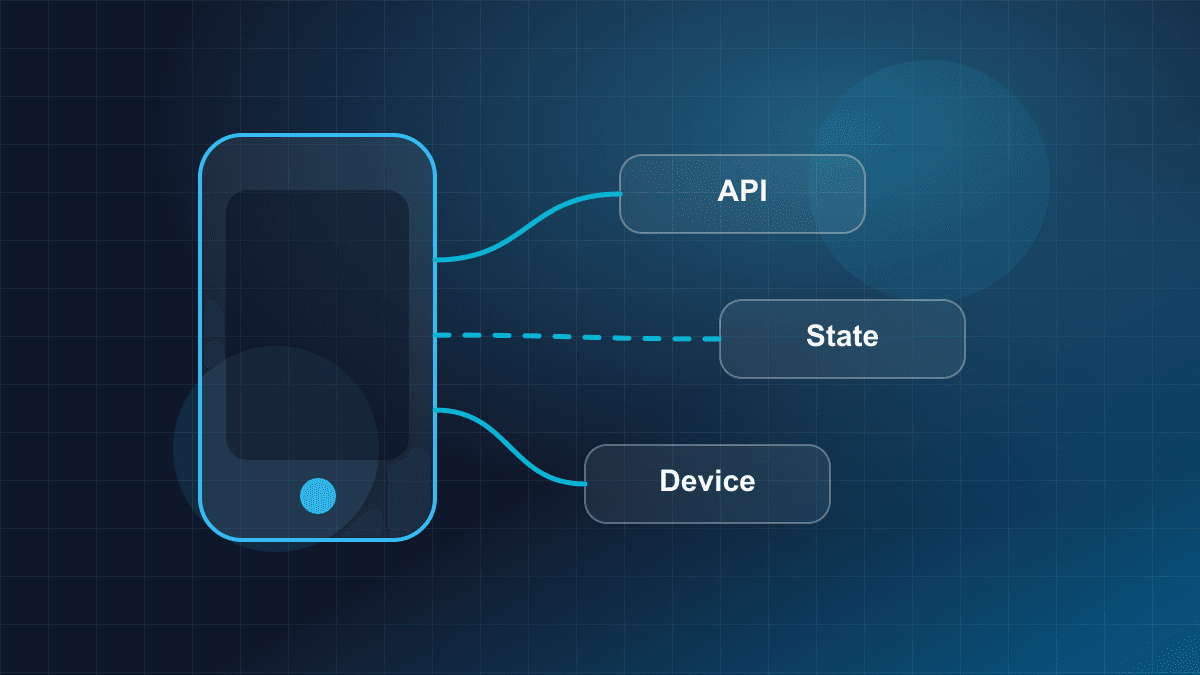
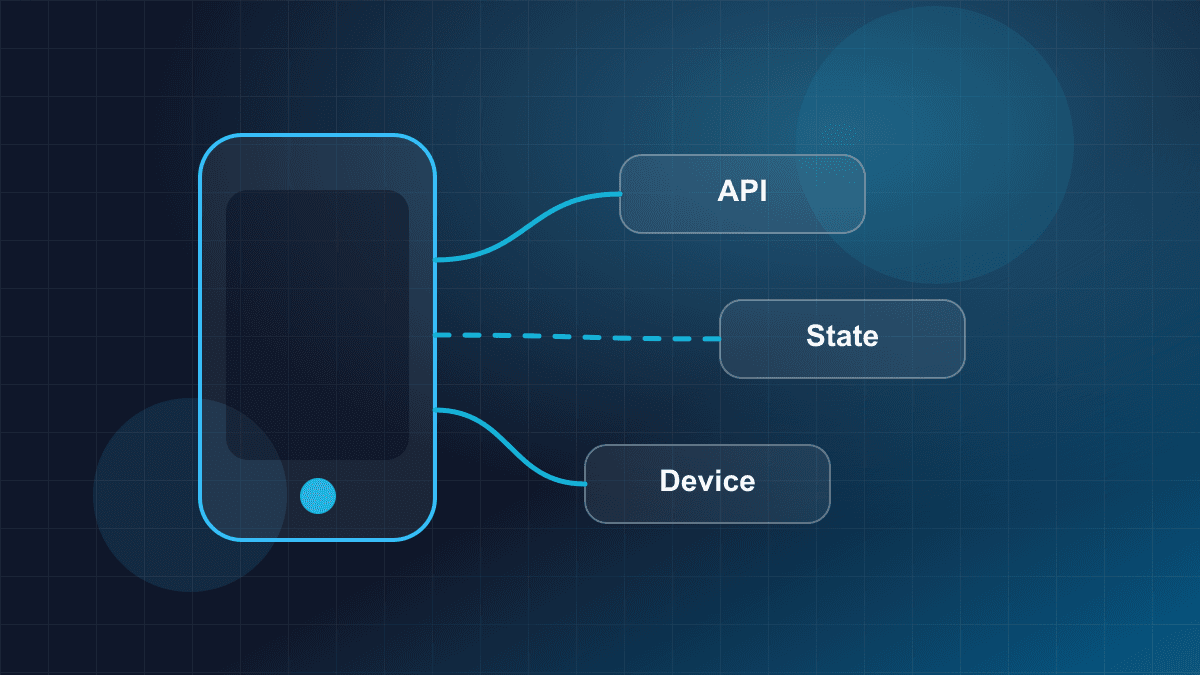
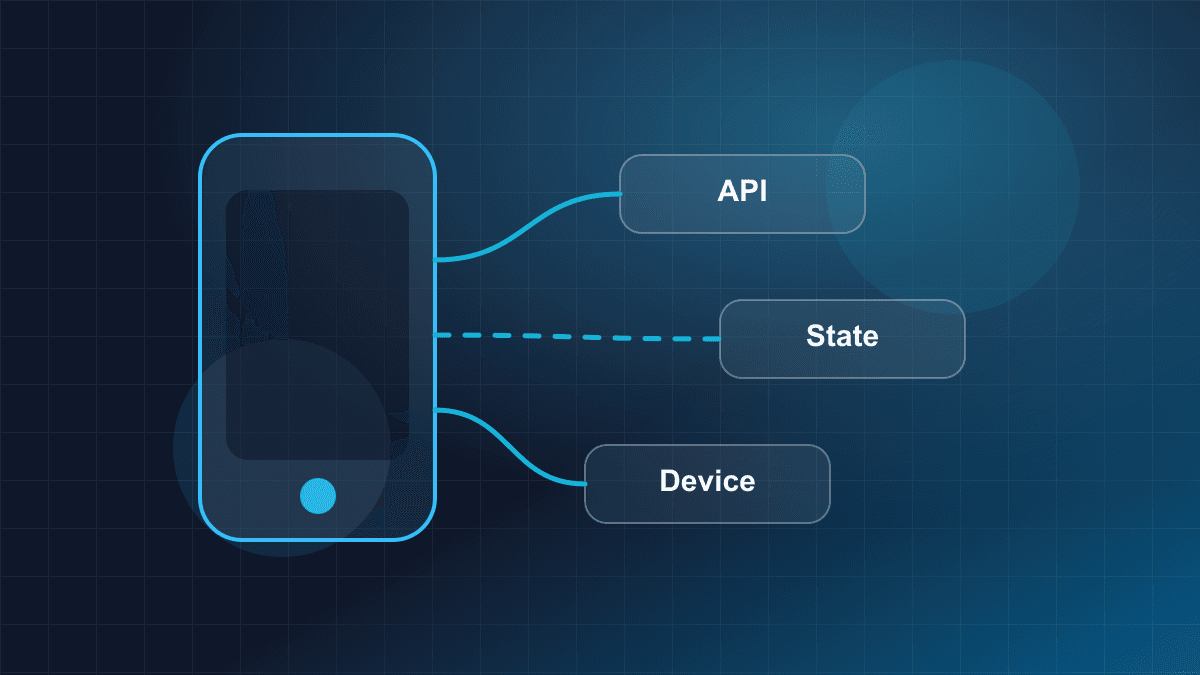
When a Flutter application needs to communicate with native operating system capabilities (e.g., reading battery telemetry, querying a custom peripheral, or calling a vendor SDK), it communicates through Platform Channels.
Understanding the operational cost of this communication boundary is essential for software architects.
┌─────────────────────────────────────────────────────────────────────────┐
│ DART ISOLATE                                                           │
│  UI Logic ──> MethodChannel.invokeMethod('getBatteryStatus')            │
└────────────────────────────────────┬────────────────────────────────────┘
                                     ▼
┌─────────────────────────────────────────────────────────────────────────┐
│ SERIALIZATION BOUNDARY                                                  │
│  StandardMessageCodec: Encodes Dart objects into raw binary byte buffer │
└────────────────────────────────────┬────────────────────────────────────┘
                                     ▼
┌─────────────────────────────────────────────────────────────────────────┐
│ C++ FLUTTER ENGINE                                                      │
│  Dispatches message across asynchronous event queue                     │
└────────────────────────────────────┬────────────────────────────────────┘
                                     ▼
┌─────────────────────────────────────────────────────────────────────────┐
│ PLATFORM MAIN THREAD (iOS UI Thread / Android Main Thread)              │
│  Decodes binary buffer ──> Executes Native API (Swift / Kotlin)        │
│  Encodes result ──> Dispatches response back to C++ Engine              │
└─────────────────────────────────────────────────────────────────────────┘
The Anatomy of Platform Channels
Platform channels (MethodChannel and EventChannel) rely on StandardMessageCodec to serialize and deserialize supported primitive types (booleans, numbers, strings, byte arrays, lists, and maps) into binary buffers.
Every invocation incurs:
- Serialization Overhead: Translating Dart runtime objects into binary representations, and deserializing them on the native side into Objective-C/Swift or Java/Kotlin objects.
- Thread Hops: The call originates on the Dart UI thread, traverses the C++ engine, and is scheduled onto the platform's main UI thread (unless explicitly handled on a background dispatch queue).
- Asynchronous Non-Blocking Execution: All platform channel invocations are asynchronous (
Future<T>). You cannot perform synchronous queries (e.g., asking native code for an immediate measurement during a synchronous layout pass).
Platform Channel Implementation Example
The following self-contained Dart snippet illustrates the required defensive patterns when crossing the platform channel boundary:
import 'package:flutter/services.dart';

/// Service encapsulating device-level biometric authentication via Platform Channels.
/// Demonstrates explicit serialization boundaries, nullable deserialization,
/// and structured error mapping.
class DeviceBiometricService {
  // Channel identifier following domain reverse-DNS convention
  static const MethodChannel _channel =
      MethodChannel('com.openstair.security/biometrics');

  /// Authenticates the user using platform biometrics (Face ID / Touch ID / BiometricPrompt).
  ///
  /// Traverses: Dart Isolate -> C++ Engine -> Platform Main Thread -> Dart Isolate.
  Future<bool> authenticate({required String promptReason}) async {
    try {
      final Map<String, dynamic> arguments = <String, dynamic>{
        'reason': promptReason,
        'allowDeviceCredentials': false,
      };

      // Invocations across MethodChannel serialize arguments via StandardMessageCodec.
      // The call is inherently asynchronous and non-blocking.
      final dynamic result = await _channel.invokeMethod<dynamic>(
        'authenticateUser',
        arguments,
      );

      // Defensively validate the deserialized payload type
      if (result is bool) {
        return result;
      }

      return false;
    } on PlatformException catch (error) {
      // Handle structured error codes passed across the platform boundary
      switch (error.code) {
        case 'BIOMETRIC_UNAVAILABLE':
        case 'BIOMETRIC_LOCKED':
        case 'USER_CANCELED':
          return false;
        default:
          // Unhandled platform-level exception
          rethrow;
      }
    } on MissingPluginException {
      // Occurs if the host platform embedder failed to register a channel receiver
      return false;
    }
  }
}
Dart FFI vs. Platform Channels
For pure C/C++ or Rust libraries, Flutter provides Dart FFI (dart:ffi), which bypasses the message codec and thread hops entirely:
| Dimension | Platform Channels (MethodChannel) | Dart FFI (dart:ffi) |
| :--- | :--- | :--- |
| Communication Style | Asynchronous message passing | Direct synchronous function calls |
| Data Transfer | Serialized binary buffers (StandardMessageCodec) | Direct memory pointer sharing (zero-copy) |
| Overhead | Microsecond to millisecond latency; GC allocations | Nanosecond call overhead; minimal allocation |
| Target Code | Swift, Objective-C, Kotlin, Java | C, C++, Rust, Zig |
| Platform API Access | Direct access to iOS/Android OS SDKs | Requires intermediate C bindings or wrapper shims |
While Dart FFI is fast, it cannot directly interact with high-level Swift or Kotlin objects without complex tooling (such as package:ffigen for Objective-C or package:jnigen for Java/Kotlin). For general platform integration, teams remain bound to the platform channel tax.
4. Master Technology Decision Matrix
To help mobile architects evaluate options objectively, this matrix compares Flutter against Native Development, React Native, and Modern Web architectures across eight technical dimensions:
| Architectural Dimension | Flutter (Impeller/Dart) | Native (Swift / Kotlin) | React Native (Fabric/JSI) | Modern Web (Next.js / SSR) |
| :--- | :--- | :--- | :--- | :--- |
| UI Rendering Engine | Custom canvas rasterization (Impeller / Metal / Vulkan) | Direct OS View Hierarchy (UIKit / Jetpack Compose) | Native OEM Views via JSI / Fabric Shadow Tree | Browser DOM via HTML5 / CSS3 / Wasm |
| OS Extensions (Widgets, Watch) | High friction (requires 100% native Swift/Kotlin) | Seamless native integration (WidgetKit, watchOS) | High friction (requires native Swift/Kotlin) | Not applicable (web only) |
| Runtime Memory Overhead | ~30-40MB base engine footprint (~180KB via EngineGroup) | Minimal base footprint (~5-15MB runtime) | ~20-30MB base JavaScript runtime / Hermes | Browser process-dependent |
| Release Binary Size Baseline | ~4-8MB baseline AOT runtime | Sub-1MB baseline | ~3-6MB baseline JavaScript engine | Zero installation footprint |
| Background & Daemon Execution | Heavy (requires spinning up headless engine) | First-class native integration | Moderate to heavy | Service Workers (browser restricted) |
| High-Throughput Camera / Media | Medium/Low (serialization and PlatformView friction) | Maximum throughput (direct CVPixelBuffer zero-copy) | Moderate (direct native views via Fabric) | WebRTC / WebGL (browser sandboxed) |
| Code Sharing Potential | Very High (90%+ across iOS, Android, Desktop) | Low (business logic only via KMP or Rust core) | High (80%+ across mobile platforms) | Unified across web viewports |
| SEO & Web Discoverability | Poor (CanvasKit draws to canvas; multi-MB bundle) | Not applicable | Poor for web (DOM emulation via RN Web) | Exceptional (Server-Side Rendering / Static HTML) |
5. Mobile Technology Evaluation Framework
Before committing an organization to Flutter, engineering leadership should apply the following decision tree:
                               START EVALUATION
                                      │
                                      ▼
             Does the app require OS Extensions as a core feature?
              (WidgetKit, watchOS, Live Activities, CarPlay)
                                 /          \
                               YES          NO
                               /              \
         ┌───────────────────────────┐         ▼
         │   FAVOR PURE NATIVE       │  Does the app process high-throughput
         │  (Swift / Kotlin / KMP)   │  sensors/camera streams at 60fps?
         └───────────────────────────┘          /          \
                                              YES          NO
                                              /              \
                        ┌───────────────────────────┐         ▼
                        │   FAVOR PURE NATIVE       │  Is public Web & SEO a critical
                        │  (Direct Metal / Vulkan)  │  commercial requirement?
                        └───────────────────────────┘          /          \
                                                             YES          NO
                                                             /              \
                                       ┌───────────────────────────┐         ▼
                                       │   FAVOR MODERN WEB / SSR  │  Is this an Add-to-App module
                                       │  (Next.js / React / Remix)│  for a massive native codebase?
                                       └───────────────────────────┘          /          \
                                                                            YES          NO
                                                                            /              \
                                                      ┌───────────────────────────┐         ▼
                                                      │  EVALUATE ENGINE OVERHEAD │  FLUTTER IS HIGHLY
                                                      │  (Consider KMP / Native)  │   RECOMMENDED
                                                      └───────────────────────────┘
The Five Engineering Litmus Tests
- The Extension Ratio Test: Calculate the percentage of user interaction occurring outside the main application container (widgets, watch, lock screen, notifications). If this ratio exceeds 25%, the native code requirement negates Flutter's productivity advantage.
- The Hardware Throughput Test: Determine whether the application must continuously stream, transform, or inspect sensor or camera buffers in real time. If raw data must cross the framework boundary, native development avoids critical bottlenecks.
- The Web Searchability Test: Will the web deployment rely on search engine discovery, low initial bounce rates, or accessibility compliance? If yes, deploy a dedicated web architecture rather than Flutter for Web.
- The Brownfield Architecture Test: If integrating into an existing native app, evaluate whether your team has dedicated platform engineers capable of debugging multi-engine memory leaks, CocoaPods/Gradle script conflicts, and hybrid navigation stacks.
- The Ecosystem Longevity Test: Does your product rely on early-access beta OS features introduced at Apple WWDC or Google I/O? If day-zero support is mandatory, native tools provide immediate access without framework dependency delays.
6. When Flutter IS the Right Choice: The Balanced Perspective
Engineering rigor requires acknowledging where a technology excels. Flutter is not an inferior framework; it is a specialized tool designed for specific product profiles.
Flutter is exceptionally well-suited for:
- Greenfield Consumer and Enterprise Applications: Standalone applications that prioritize visual flair, fluid animations, custom brand identities, and consistent design language across iOS and Android.
- Data-Driven CRUD and Productivity Systems: Applications dominated by REST or GraphQL APIs, relational forms, state-driven dashboards, authentication workflows, and offline-first data caching.
- Cross-Platform Parity Across Mobile and Desktop: Teams delivering a unified client experience across iOS, Android, macOS, Windows, and Linux from a single unified codebase.
- High-Velocity Product Exploration: Early-stage startups and innovation teams that require rapid feature iteration, instant hot reload, and full UI parity with limited engineering headcount.
7. Practical Production Checklist
Before finalizing your technology selection, verify that your engineering team has addressed the following production constraints:
- [ ] Surface Audit: Document all companion surfaces required over the next 18 months (Home Screen widgets, Apple Watch, Wear OS, Live Activities).
- [ ] Background Execution Budget: Map all background synchronization, push notification handling, and location tracking requirements against operating system execution time windows.
- [ ] Binary Size Targets: Measure baseline binary download sizes against target market cellular thresholds and app store instant limits.
- [ ] Hardware Pipeline Feasibility: Benchmark camera frame processing and platform view composition on minimum-supported hardware devices.
- [ ] Native Skillset Availability: Ensure the team retains sufficient Swift/Objective-C and Kotlin/Java expertise to maintain platform channels and build tooling.
- [ ] Web Strategy Separation: If web presence is required, explicitly evaluate whether a decoupled web frontend (e.g., Next.js) delivers superior performance and discoverability compared to a unified canvas web build.
Conclusion
The decision to adopt or avoid Flutter should not be driven by framework enthusiasm or marketing claims of code reduction. It is a calculated architectural trade-off.
Flutter excels when an application is an island of self-contained visual experiences—where the framework controls every pixel on a dedicated canvas, business logic is cross-platform, and host OS interactions are limited to standard platform services.
Conversely, Flutter becomes an architectural liability when an application is an orchestrator of deep operating system capabilities—where companion widgets, high-throughput hardware pipelines, background daemons, native accessibility, and web discoverability dominate the product.
By analyzing these architectural constraints upfront, engineering leaders can select the technology that accelerates their roadmap rather than the one they will spend years working around.