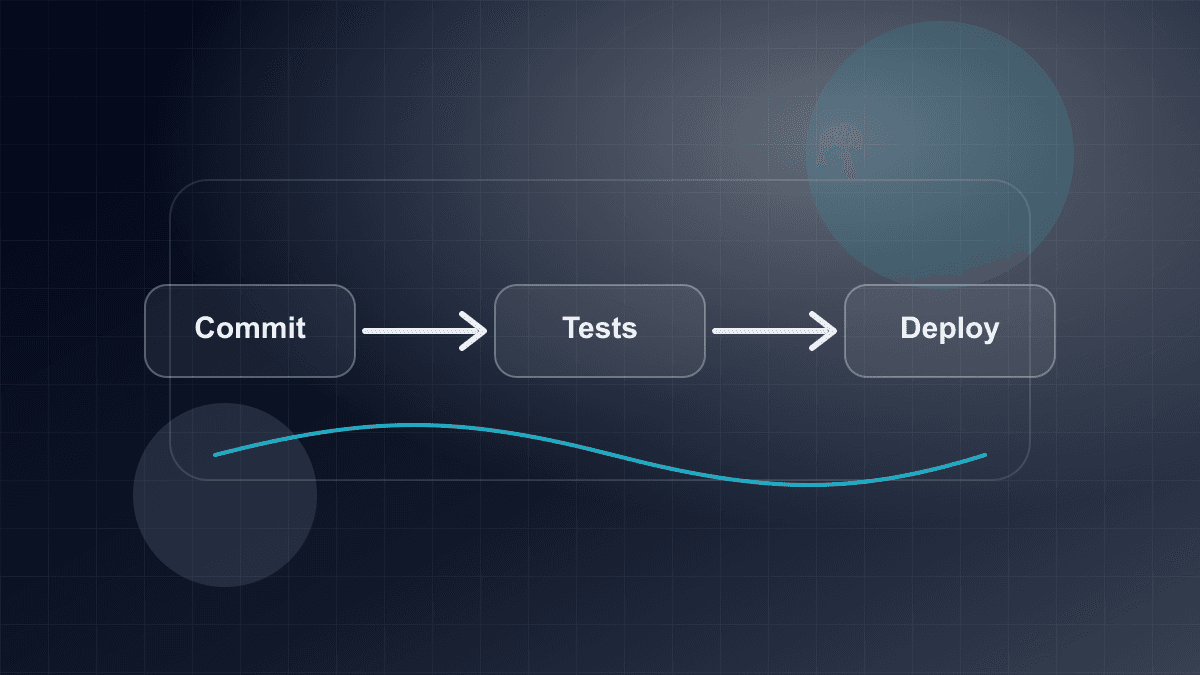
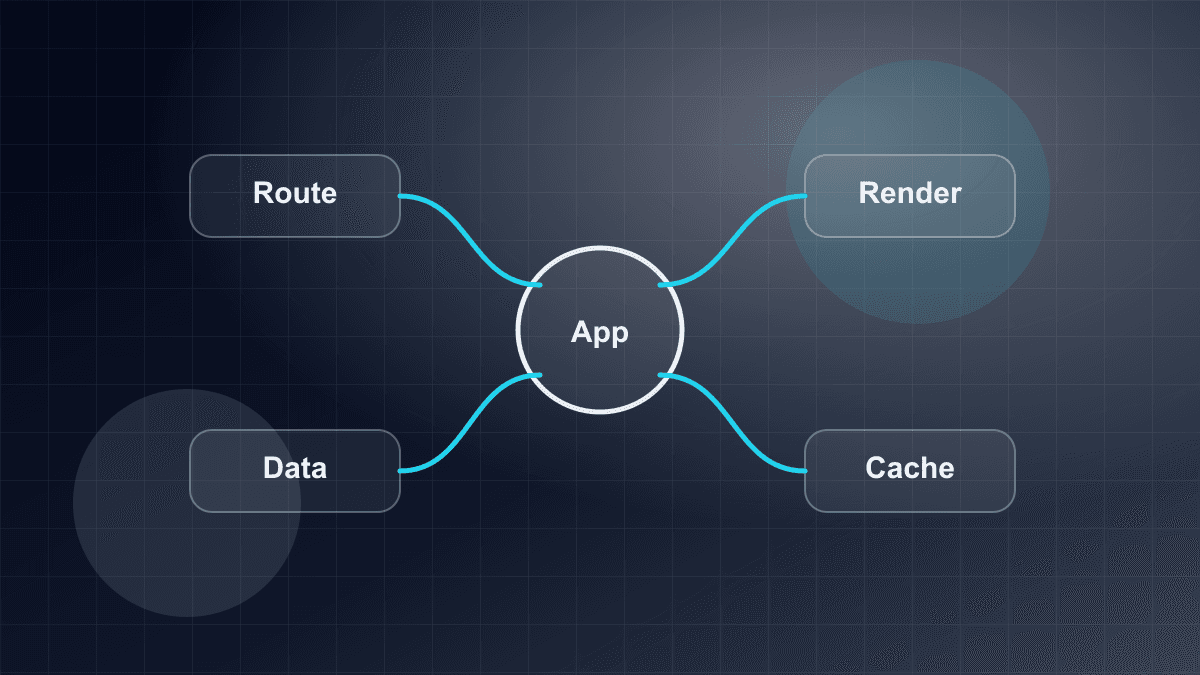
Building a Production Blog With Next.js
A comprehensive engineering guide to building a high-performance production blog with Next.js App Router, React Server Components, MDX, and type-safe metadata.
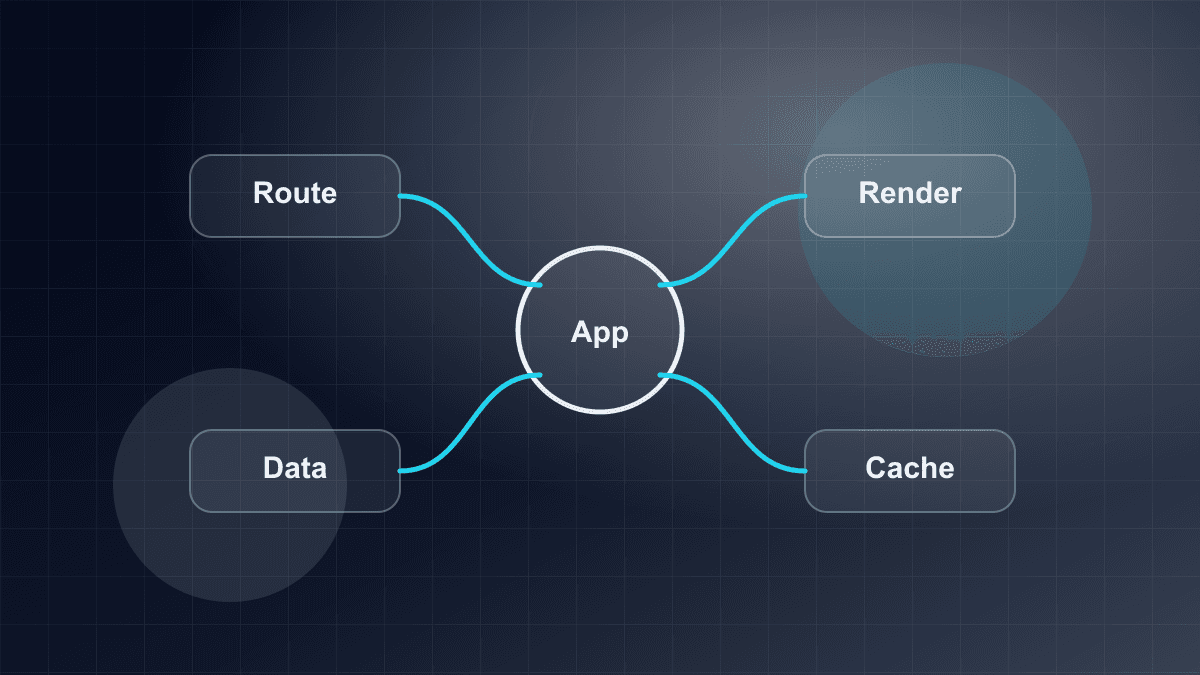
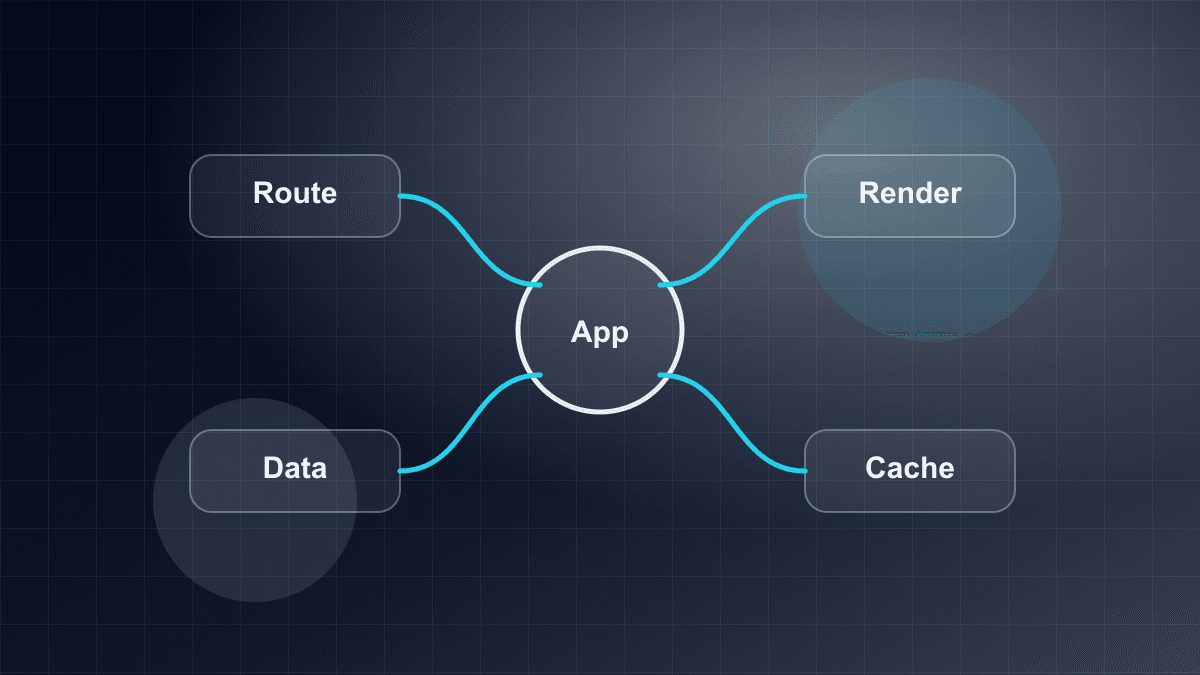
Building a Production Blog With Next.js
Editorial platforms and technical engineering blogs represent a deceptively demanding subset of modern web engineering. While a simple blog appears straightforward to prototype, a production-grade content platform must satisfy rigorous architectural constraints: instantaneous page transitions, perfect Core Web Vitals with zero Cumulative Layout Shift (CLS), resilient search engine indexing, automated social metadata generation, and a frictionless authoring workflow that scales gracefully as editorial archives grow into thousands of publications.
Historically, teams faced an uncomfortable trade-off between traditional static site generators (like Jekyll or Hugo) and dynamic headless Content Management Systems (CMS) connected to client-rendered Single-Page Applications (SPAs). Static site generators provided fast edge delivery but suffered from rigid extensibility and slow full-rebuild times. Conversely, client-rendered SPAs offered dynamic interactivity at the cost of bloated client JavaScript bundles, layout instability, and fragile search engine crawler indexing.
The modern Next.js App Router architecture—built on React 19 Server Components (RSC)—fundamentally transforms this equation. By moving content parsing, AST transformation, syntax highlighting, and metadata resolution entirely to the server or build phase, Next.js allows teams to ship content-dense pages with near-zero client-side JavaScript. This guide walks through the architectural patterns, technical decisions, and concrete code implementations necessary to design, build, and deploy an enterprise-grade production blog using Next.js 15/16 and React 19.
1. The Content Platform Architecture
At the architectural core of any content engine lies a fundamental decision: where does the content live, and how does it move from an author's editor into the user's browser? In the Next.js ecosystem, the two primary patterns are Git-backed MDX / Markdown and Headless CMS APIs.
Git-Backed MDX vs. Headless CMS
Evaluating whether to store content directly in the application repository or source it from an external CMS requires examining authoring workflows, deployment coupling, and operational overhead.
┌─────────────────────────────────────────────────────────────────────────┐
│                     Content Ingestion & Delivery Architecture           │
└─────────────────────────────────────────────────────────────────────────┘

  Git-Backed MDX Pipeline:
  ┌──────────────┐     ┌──────────────┐     ┌──────────────┐     ┌──────────────┐
  │ content/blog │ ──► │ Pre-Build CI │ ──► │ Next.js SSG  │ ──► │ Edge CDN     │
  │ *.mdx files  │     │ Gate (Schema)│     │ Build (RSC)  │     │ Pure HTML    │
  └──────────────┘     └──────────────┘     └──────────────┘     └──────────────┘

  Headless CMS Pipeline:
  ┌──────────────┐     ┌──────────────┐     ┌──────────────┐     ┌──────────────┐
  │ Third-Party  │ ──► │ Webhook /    │ ──► │ Next.js ISR  │ ──► │ Edge CDN     │
  │ Headless CMS │     │ API Request  │     │ Revalidation │     │ Dynamic HTML │
  └──────────────┘     └──────────────┘     └──────────────┘     └──────────────┘
Git-Backed MDX (Filesystem-Driven)
In a Git-backed architecture, articles are authored as Markdown or MDX (.mdx) files stored alongside the application source code in a directory such as content/blog/. Frontmatter YAML contains article metadata (titles, dates, slugs, categories, tags), while the body contains Markdown enriched with interactive React components.
- Version Control and Atomic Deployments: Editorial changes are tracked through standard Git history. Content updates, component refactors, and styling modifications can be shipped together in a single atomic commit or pull request.
- Branch Previews: Editorial reviews benefit from standard preview environments (such as Vercel or Netlify preview deployments), allowing reviewers to view formatted drafts in an exact replica of production before merging.
- Zero Runtime Dependencies: The build reads local disk files via standard Node.js filesystem APIs (
node:fs). There are no external API rate limits, no third-party downtime vulnerabilities, and zero network latency during page compilation. - Schema Synchronization: Because frontmatter schemas are defined in the same repository as TypeScript interfaces, type discrepancies between content fields and UI components are caught immediately at compile time.
- Trade-Offs: Non-technical writers must become comfortable with Markdown syntax, Git workflows, and pull requests. Furthermore, publishing a typo fix requires running a build and deployment pipeline.
Headless CMS (API-Driven)
In an API-driven architecture, content resides in a dedicated cloud service (such as Contentful, Sanity, or Strapi) and is fetched over REST or GraphQL endpoints during builds or runtime request handling.
- Author-Friendly Interfaces: Marketing and non-technical editorial staff gain access to rich WYSIWYG editors, customizable publishing workflows, role-based access control (RBAC), and asset media libraries.
- Decoupled Publishing: Content editors can publish updates, schedule releases, and revert revisions without initiating code deployments.
- Trade-Offs: Introducing a third-party CMS adds significant architectural complexity. Developers must manage webhook endpoints to trigger Next.js Incremental Static Regeneration (ISR) or On-Demand Revalidation. The build process becomes vulnerable to external API rate limits and network outages. Additionally, maintaining schema parity between the CMS data models and frontend TypeScript types requires custom schema generation tooling.
Decision Matrix
| Evaluation Dimension | Git-Backed MDX Architecture | Headless CMS Architecture |
| :--- | :--- | :--- |
| Primary Audience | Technical teams, engineers, documentation writers | Marketing teams, non-technical contributors |
| Version Control | Native Git history, branching, and pull request reviews | Platform-specific revision history and drafts |
| Deployment Coupling | Content changes trigger repository builds and deployments | Content publishes independently via webhooks / ISR |
| Build Reliability | Completely deterministic; zero external network calls | Dependent on third-party API availability and rate limits |
| Component Embedding | Native React component insertion directly in MDX | Dependent on structured text fields and custom block renderers |
| Media Handling | Local public/ assets or external Object Storage (S3, CDN) | Built-in Digital Asset Management (DAM) and transformations |
| Operational Overhead | Zero monthly SaaS cost; minimal infrastructure | Monthly subscription costs; webhook management |
For technical blogs, engineering publications, and documentation platforms where contributors are accustomed to developer workflows, Git-backed MDX provides unmatched reliability, zero recurring infrastructure costs, and complete architectural determinism.
2. Ingestion Pipeline: Frontmatter, Caching, and Pre-Build Validation
A robust Git-backed pipeline requires three key stages: reading content from disk, validating schema constraints before rendering, and deduplicating disk reads across the React Server Component tree.
The Content Ingestion Pipeline
┌─────────────────┐
│ content/blog/   │
│ article-a.mdx   │
│ article-b.mdx   │
└────────┬────────┘
         │ node:fs.readdirSync
         ▼
┌────────────────────────────────────────────────────────┐
│ parseBlogFile(filePath)                                │
│  ├─ gray-matter: Extracts YAML frontmatter + content   │
│  ├─ validateFrontmatter(): Validates required fields   │
│  ├─ calculateReadTime(): Computes reading duration     │
│  └─ markdownToPlainText(): Extracts search excerpt     │
└────────┬───────────────────────────────────────────────┘
         │
         ▼
┌────────────────────────────────────────────────────────┐
│ React.cache(getAllPosts)                               │
│ Deduplicates filesystem reads across generateMetadata, │
│ generateStaticParams, and page rendering in one pass.  │
└────────────────────────────────────────────────────────┘
Eliminating Duplicate Reads with React.cache()
In the Next.js App Router, multiple functions often require access to the same article data during a single render pass. For example:
generateStaticParams()requests all available slugs.generateMetadata()loads the specific article to extract title, description, and Open Graph tags.- The page component itself (
BlogPostPage) loads the post to render the MDX body.
Without deduplication, the server would read and parse the Markdown file from disk multiple times per request. By wrapping the content loader function in React's native cache() utility from the 'react' package, Next.js memoizes the return value for the lifetime of that request cycle.
import { cache } from "react";
import fs from "node:fs";
import path from "node:path";
import matter from "gray-matter";

// Memoized across the entire server render cycle
export const getAllPosts = cache((): BlogPost[] => {
  const contentDir = path.join(process.cwd(), "content", "blog");
  if (!fs.existsSync(contentDir)) return [];

  const fileNames = fs.readdirSync(contentDir).filter((file) => file.endsWith(".mdx"));

  return fileNames
    .map((fileName) => parseBlogFile(path.join(contentDir, fileName)))
    .sort((a, b) => b.date.localeCompare(a.date));
});
Pre-Build and CI Validation Gates
In a production editorial platform, invalid frontmatter or missing image references must never escape into production. Instead of allowing runtime rendering errors or broken image icons on live URLs, validation should run deterministically during pre-commit hooks and CI pipelines.
A comprehensive validation gate checks for:
- Mandatory Fields: Verification that
title,description,slug,date,category, andauthorexist and are non-empty. - Slug-to-Path Congruence: Ensuring the
slugdeclared in frontmatter matches the.mdxfilename on disk (e.g.,slug: "nextjs-production-blog"must live incontent/blog/nextjs-production-blog.mdx). - Calendar Validity: Ensuring dates follow strict
YYYY-MM-DDformatting and resolve to genuine calendar dates (rejecting dates like2025-02-30). - Asset Integrity: If an article references an image in
/branding/...or/images/..., confirming that the binary asset exists on disk within thepublic/directory before building. - Route Conflict Prevention: Checking that an article slug does not collide with reserved router segments (such as
page,category, orrss.xml).
3. Routing & Pre-Rendering at Scale (Next.js 15/16 & React 19)
The routing architecture determines how search engine crawlers and users navigate content, how pages are compiled at build time, and how URLs map to component boundaries.
Dynamic Route vs. Catch-All Route Patterns
There are two primary approaches to structuring editorial routes in the Next.js app/ directory:
-
Dedicated Dynamic Routes (
app/blog/[slug]/page.tsx): Clean and isolated. Ideal for platforms where articles reside strictly at/blog/[slug]and archive pagination lives in separate directories likeapp/blog/page/[page]/page.tsx. -
Unified Catch-All Route (
app/blog/[...segments]/page.tsx): A single segment handler capable of serving multiple URL patterns:/blog/nextjs-production-blog(Single article)/blog/nextjs(Category archive root)/blog/nextjs/page/2(Paginated category archive)
For most production platforms, the dedicated dynamic route pattern provides the cleanest separation of concerns and simpler static parameter generation.
Static Site Generation via generateStaticParams()
Editorial content is inherently read-heavy and updates infrequently compared to user-specific application state. Compiling articles into static HTML at build time guarantees sub-millisecond edge response times, shields backends from traffic spikes, and minimizes hosting compute costs.
Next.js provides generateStaticParams() to inform the build engine which routes to pre-render:
export function generateStaticParams() {
  const posts = getAllPosts();
  return posts.map((post) => ({
    slug: post.slug,
  }));
}
To prevent Next.js from attempting on-demand server rendering when an unrecognized slug is requested, enforce strict static boundaries by setting:
export const dynamicParams = false;
When dynamicParams is false, any request for a slug not returned by generateStaticParams immediately triggers a 404 Not Found response directly at the edge CDN, without executing serverless functions or backend queries.
Breaking Change in Next.js 15 & 16: Asynchronous params
In Next.js 15 and 16, page properties, layout properties, and generateMetadata receive params and searchParams as Promise instances rather than plain JavaScript objects.
This architectural shift was introduced to align Next.js with React 19 concurrent features and asynchronous request handling. By typing params as a Promise, Next.js can begin streaming layouts and parent component shells before dynamic path segments have finished resolving.
// Modern Next.js 15/16 and React 19 Page Signature
type BlogPostPageProps = {
  params: Promise<{
    slug: string;
  }>;
};

export default async function BlogPostPage({ params }: BlogPostPageProps) {
  // Awaiting the params Promise is mandatory in Next.js 15/16
  const { slug } = await params;
  const post = getBlogPost(slug);

  if (!post) {
    notFound();
  }

  return (
    <article>
      <h1>{post.title}</h1>
      {/* ... */}
    </article>
  );
}
Attempting to access params.slug directly without await triggers runtime deprecation warnings in Next.js 15 and causes compile or execution errors in Next.js 16.
Comparison of Rendering Strategies for Editorial Platforms
| Strategy | Time to First Byte (TTFB) | Build Duration Impact | Content Freshness | Edge Cacheability |
| :--- | :--- | :--- | :--- | :--- |
| SSG (Static Site Generation) | Ultra-fast (~10–30ms at edge) | Linear with article count () | Fixed at deployment time | 100% static edge cache |
| ISR (Incremental Static Regeneration) | Ultra-fast after initial warmup | Minimal; builds top pages | Refreshed after revalidation window | Cached at edge, background refresh |
| SSR (Server-Side Rendering) | Variable (~150–500ms depending on load) | Zero build-time impact | Instant on every request | Requires custom Cache-Control headers |
For blogs with hundreds or several thousand articles, pure SSG combined with automated CI deployments provides the ideal balance of reliability, speed, and operational simplicity.
4. Search Engine Optimization, Metadata & Structured Data
Search engines evaluate technical publications based on content relevance, semantic markup, crawler accessibility, and page experience signals. A production blog must programmatically emit complete metadata and machine-readable structured data.
Dynamic Metadata with generateMetadata()
Next.js provides the generateMetadata() lifecycle hook to populate HTML <head> tags dynamically. This hook shares the same asynchronous params signature as the page component:
import type { Metadata } from "next";

export async function generateMetadata({
  params,
}: BlogPostPageProps): Promise<Metadata> {
  const { slug } = await params;
  const post = getBlogPost(slug);

  if (!post) {
    return {};
  }

  const canonicalUrl = `https://example.com/blog/${post.slug}`;

  return {
    title: `${post.title} | OpenStair Engineering`,
    description: post.description,
    alternates: {
      canonical: canonicalUrl,
    },
    openGraph: {
      title: post.title,
      description: post.description,
      url: canonicalUrl,
      type: "article",
      publishedTime: post.date,
      modifiedTime: post.updated ?? post.date,
      authors: [post.author],
      tags: post.tags,
      images: [
        {
          url: post.image ?? "/branding/default-og.png",
          width: 1200,
          height: 630,
          alt: post.imageAlt ?? post.title,
        },
      ],
    },
    twitter: {
      card: "summary_large_image",
      title: post.title,
      description: post.description,
      images: [post.image ?? "/branding/default-og.png"],
    },
  };
}
Schema.org Structured Data (JSON-LD)
Structured data allows search engines to understand the semantic meaning of an editorial asset, qualifying the article for enhanced Google Search features such as Article carousels, breadcrumb trails, and rich author attribution.
Injecting Schema.org Article or BlogPosting JSON-LD directly into the Server Component using a <script type="application/ld+json"> tag ensures search crawlers receive complete structured entities without executing client JavaScript:
export function ArticleJsonLd({ post }: { post: BlogPost }) {
  const jsonLd = {
    "@context": "https://schema.org",
    "@type": "BlogPosting",
    headline: post.title,
    description: post.description,
    datePublished: post.date,
    dateModified: post.updated ?? post.date,
    author: {
      "@type": "Organization",
      name: post.author,
      url: "https://example.com",
    },
    publisher: {
      "@type": "Organization",
      name: "OpenStair Technologies",
      logo: {
        "@type": "ImageObject",
        url: "https://example.com/logo.png",
      },
    },
    mainEntityOfPage: {
      "@type": "WebPage",
      "@id": `https://example.com/blog/${post.slug}`,
    },
    image: post.image ? `https://example.com${post.image}` : undefined,
  };

  return (
    <script
      type="application/ld+json"
      dangerouslySetInnerHTML={{ __html: JSON.stringify(jsonLd) }}
    />
  );
}
Automated Sitemaps (app/sitemap.ts)
Next.js App Router includes built-in support for generating standards-compliant XML sitemaps by exporting a default function from app/sitemap.ts. The sitemap generator dynamically aggregates all static marketing pages, blog articles, and category archives:
import type { MetadataRoute } from "next";
import { getAllPosts } from "@/lib/blog";

export default async function sitemap(): Promise<MetadataRoute.Sitemap> {
  const baseUrl = "https://example.com";
  const posts = getAllPosts();

  const blogEntries: MetadataRoute.Sitemap = posts.map((post) => ({
    url: `${baseUrl}/blog/${post.slug}`,
    lastModified: new Date(post.updated ?? post.date),
    changeFrequency: "monthly",
    priority: 0.7,
  }));

  const staticEntries: MetadataRoute.Sitemap = [
    {
      url: baseUrl,
      lastModified: new Date(),
      changeFrequency: "weekly",
      priority: 1.0,
    },
    {
      url: `${baseUrl}/blog`,
      lastModified: new Date(),
      changeFrequency: "daily",
      priority: 0.9,
    },
  ];

  return [...staticEntries, ...blogEntries];
}
5. Performance Engineering and Core Web Vitals
A blog should deliver near-instantaneous content rendering. Meeting Google's Core Web Vitals thresholds—Largest Contentful Paint (LCP) under 2.5s, Cumulative Layout Shift (CLS) under 0.1, and Interaction to Next Paint (INP) under 200ms—requires deliberate architectural discipline.
Zero-Bundle Client Footprint via React Server Components
In traditional React frameworks, rendering Markdown required shipping heavyweight parsing libraries (such as marked, micromark, or unified remark/rehype pipelines) to the client browser. For a technical article, client-side Markdown libraries often contributed over 150KB to 300KB of compressed JavaScript.
With React Server Components and next-mdx-remote/rsc, MDX compilation occurs exclusively on the server or at build time:
import { MDXRemote } from "next-mdx-remote/rsc";
import { blogMdxComponents } from "@/components/blog/mdx-components";

export function ArticleBody({ source }: { source: string }) {
  // Compiles MDX to pure HTML on the server; ships 0 KB parser code to the client
  return (
    <div className="blog-prose">
      <MDXRemote source={source} components={blogMdxComponents} />
    </div>
  );
}
The client receives clean, semantic HTML and CSS. The browser main thread is freed from parsing Abstract Syntax Trees (ASTs), drastically reducing Total Blocking Time (TBT) and optimizing mobile device performance.
Server-Side Syntax Highlighting: Shiki vs. Client Prism
Technical blogs rely heavily on code blocks. Traditional approaches loaded Prism.js or highlight.js in a useEffect() hook on the client. This introduced severe performance penalties:
- Significant client JavaScript bundle overhead for language grammar definitions.
- Visible layout shifts and text flashing as plain
<pre>blocks were transformed into highlighted tokens after page hydration.
In a production Next.js pipeline, syntax highlighting is performed during the build step using Shiki or a server-side Prism AST transformer. The server outputs pre-tokenized HTML with inline styles or CSS variables:
<!-- Server-Rendered Syntax Highlighting (0 KB Client JS, 0 CLS) -->
<pre class="shiki github-dark">
  <code>
    <span class="line"><span style="color:#F97583">const</span> <span style="color:#79B8FF">slug</span> <span style="color:#F97583">=</span> <span style="color:#9ECBFF">"nextjs"</span>;</span>
  </code>
</pre>
Because styles are applied inline or via static CSS, code blocks render instantaneously on initial paint with zero client hydration delay and zero CLS.
Layout Shift Elimination with next/image
Images are the single most common cause of Cumulative Layout Shift in content platforms. When a browser loads an image without predefined layout dimensions, the surrounding text jumps as the binary asset finishes downloading.
Next.js solves this through the next/image component:
<Image
  src={post.image}
  alt={post.imageAlt}
  width={1200}
  height={630}
  sizes="(min-width: 1024px) 768px, 100vw"
  priority
  className="aspect-[16/9] w-full rounded-lg object-cover"
/>
- Intrinsic Aspect Ratio: By declaring
widthandheight, Next.js computes an aspect ratio that reserves layout space in the DOM before the image data arrives, preventing layout shifts. - Responsive
sizesAttribute: Thesizesattribute informs the browser of the image's display width across different viewport breakpoints, preventing mobile devices from downloading oversized desktop resolutions. - The
priorityAttribute: Addingpriorityto the above-the-fold hero image instructs Next.js to preload the image in the HTML<head>, dramatically accelerating Largest Contentful Paint (LCP).
Reading Time Calculation Heuristics
Calculating reading time provides immediate cognitive context to readers. In technical articles, estimating reading duration requires establishing an explicit calculation model:
Assuming an average technical reading speed of approximately 200 to 220 words per minute accounts for the time spent inspecting code listings and diagrams:
export function calculateReadTime(markdown: string): string {
  // Strip code blocks and markdown symbols before counting words
  const cleanText = markdown
    .replace(/```[\s\S]*?```/g, " ")
    .replace(/[#*_~`\[\]()]/g, " ")
    .replace(/\s+/g, " ")
    .trim();

  const words = cleanText.split(" ").filter(Boolean).length;
  const minutes = Math.max(1, Math.ceil(words / 200));

  return `${minutes} min read`;
}
6. Complete Production Implementation Blueprint
The following listings provide a complete, type-safe implementation of a production blog engine using Next.js App Router and React 19.
Listing 1: Type-Safe Content Loader (lib/blog.ts)
import "server-only";

import fs from "node:fs";
import path from "node:path";
import { cache } from "react";
import matter from "gray-matter";

export type FrontmatterLink = {
  href: string;
  label: string;
};

export type BlogPost = {
  slug: string;
  title: string;
  description: string;
  date: string;
  updated?: string;
  category: string;
  tags: string[];
  author: string;
  image?: string;
  imageAlt?: string;
  internalLinks: FrontmatterLink[];
  content: string;
  readTime: string;
  excerpt: string;
};

const contentDirectory = path.join(process.cwd(), "content", "blog");

export const getAllPosts = cache((): BlogPost[] => {
  if (!fs.existsSync(contentDirectory)) {
    return [];
  }

  const fileNames = fs
    .readdirSync(contentDirectory)
    .filter((file) => file.endsWith(".mdx"));

  const posts = fileNames.map((fileName) => {
    const fullPath = path.join(contentDirectory, fileName);
    const fileContent = fs.readFileSync(fullPath, "utf8");
    const { data, content } = matter(fileContent);

    const plainText = content
      .replace(/```[\s\S]*?```/g, " ")
      .replace(/[#*`_\[\]()]/g, "")
      .replace(/\s+/g, " ")
      .trim();

    const wordCount = plainText.split(" ").filter(Boolean).length;
    const readTimeMinutes = Math.max(1, Math.ceil(wordCount / 200));

    return {
      slug: (data.slug as string) || fileName.replace(/\.mdx$/, ""),
      title: data.title as string,
      description: data.description as string,
      date: data.date as string,
      updated: data.updated as string | undefined,
      category: data.category as string,
      tags: (data.tags as string[]) || [],
      author: data.author as string,
      image: data.image as string | undefined,
      imageAlt: data.imageAlt as string | undefined,
      internalLinks: (data.internalLinks as FrontmatterLink[]) || [],
      content: content.trim(),
      readTime: `${readTimeMinutes} min read`,
      excerpt: plainText.slice(0, 180),
    };
  });

  return posts.sort((a, b) => b.date.localeCompare(a.date));
});

export function getBlogPost(slug: string): BlogPost | undefined {
  return getAllPosts().find((post) => post.slug === slug);
}
Listing 2: The Blog Post Page (app/blog/[slug]/page.tsx)
import type { Metadata } from "next";
import Image from "next/image";
import Link from "next/link";
import { notFound } from "next/navigation";
import { MDXRemote } from "next-mdx-remote/rsc";
import { getAllPosts, getBlogPost } from "@/lib/blog";
import { blogMdxComponents } from "@/components/blog/mdx-components";

type BlogPostPageProps = {
  params: Promise<{
    slug: string;
  }>;
};

// Enforce edge-only static generation; 404 for ungenerated paths
export const dynamicParams = false;

export function generateStaticParams() {
  const posts = getAllPosts();
  return posts.map((post) => ({
    slug: post.slug,
  }));
}

export async function generateMetadata({
  params,
}: BlogPostPageProps): Promise<Metadata> {
  const { slug } = await params;
  const post = getBlogPost(slug);

  if (!post) {
    return {};
  }

  const siteUrl = "https://example.com";
  const postUrl = `${siteUrl}/blog/${post.slug}`;

  return {
    title: `${post.title} | OpenStair`,
    description: post.description,
    alternates: {
      canonical: postUrl,
    },
    openGraph: {
      title: post.title,
      description: post.description,
      url: postUrl,
      type: "article",
      publishedTime: post.date,
      modifiedTime: post.updated ?? post.date,
      authors: [post.author],
      tags: post.tags,
      images: post.image ? [{ url: `${siteUrl}${post.image}` }] : [],
    },
  };
}

export default async function BlogPostPage({ params }: BlogPostPageProps) {
  const { slug } = await params;
  const post = getBlogPost(slug);

  if (!post) {
    notFound();
  }

  const jsonLd = {
    "@context": "https://schema.org",
    "@type": "BlogPosting",
    headline: post.title,
    description: post.description,
    datePublished: post.date,
    dateModified: post.updated ?? post.date,
    author: {
      "@type": "Organization",
      name: post.author,
    },
    mainEntityOfPage: `https://example.com/blog/${post.slug}`,
  };

  return (
    <article className="mx-auto max-w-4xl px-4 py-12 sm:px-6 lg:px-8">
      <script
        type="application/ld+json"
        dangerouslySetInnerHTML={{ __html: JSON.stringify(jsonLd) }}
      />

      <header className="mb-10 text-center">
        <div className="flex items-center justify-center gap-2 text-sm text-slate-500">
          <span>{post.category}</span>
          <span>·</span>
          <span>{post.date}</span>
          <span>·</span>
          <span>{post.readTime}</span>
        </div>
        <h1 className="mt-4 text-4xl font-bold tracking-tight text-slate-900 sm:text-5xl">
          {post.title}
        </h1>
        <p className="mt-4 text-lg text-slate-600">{post.description}</p>
      </header>

      {post.image ? (
        <div className="mb-12 overflow-hidden rounded-xl border border-slate-200 bg-slate-50">
          <Image
            src={post.image}
            alt={post.imageAlt ?? post.title}
            width={1200}
            height={675}
            sizes="(min-width: 1024px) 896px, 100vw"
            priority
            className="aspect-[16/9] w-full object-cover"
          />
        </div>
      ) : null}

      <div className="prose prose-slate max-w-none">
        <MDXRemote source={post.content} components={blogMdxComponents} />
      </div>

      {post.internalLinks.length > 0 ? (
        <footer className="mt-16 border-t border-slate-200 pt-8">
          <h2 className="text-xl font-semibold text-slate-900">Related Articles</h2>
          <div className="mt-4 grid gap-3 sm:grid-cols-2">
            {post.internalLinks.map((link) => (
              <Link
                key={link.href}
                href={link.href}
                className="rounded-lg border border-slate-200 p-4 transition hover:border-cyan-600"
              >
                {link.label}
              </Link>
            ))}
          </div>
        </footer>
      ) : null}
    </article>
  );
}
7. Common Architectural Anti-Patterns
When developing editorial platforms with Next.js, teams frequently fall into subtle anti-patterns that undermine performance, break builds, or harm SEO rankings.
1. Bundling MDX Compilers into Client Components
A frequent mistake is rendering MDX inside client components marked with 'use client'. Doing so forces Webpack or Turbopack to package the entire MDX compiler, Babel AST parser, and remark/rehype plugins into the user's browser bundle, inflating initial payload size by hundreds of kilobytes.
- Solution: Keep MDX compilation inside React Server Components (
next-mdx-remote/rsc). If client interactivity is required within an article, pass specific interactive client components (e.g., interactive calculators or code sandbox tabs) into the MDXcomponentsmap as isolated islands.
2. Failing to await Asynchronous Route Parameters
In Next.js 15 and 16, accessing properties directly on props.params (e.g., props.params.slug) without await throws runtime deprecation warnings and will fail entirely in future releases.
- Solution: Always unpack
paramsusingconst { slug } = await params;inside Page components, Layouts, andgenerateMetadata.
3. Missing or Vague Image sizes Attributes
Omitting the sizes prop on responsive images forces the browser to assume the image occupies 100% of the viewport width across all display sizes, causing high-density mobile devices to download large 1200px desktop assets.
- Solution: Always specify accurate media-query breakpoints in
sizes(e.g.,sizes="(min-width: 1024px) 800px, 100vw").
4. Fragmented Canonical URLs
When paginated archives (/blog/page/2) or tagged views point canonical links back to the root /blog index, search engines treat the pagination pages as duplicate content and drop them from indexing.
- Solution: Emit unique, self-referential canonical URLs for all paginated archives, category views, and articles.
5. Silently Swallowing Frontmatter Validation Errors
Allowing malformed dates or missing slugs to fall back to default values masks content authoring mistakes until articles appear broken on production.
- Solution: Implement strict, fail-fast schema validation in pre-commit hooks and CI test suites to reject invalid Markdown before deployments occur.
8. Actionable Production Verification Checklist
Before releasing a Next.js editorial platform to production, execute the following systematic audit:
Content & Pipeline Verification
- [ ] Frontmatter Schema Conformity: Run automated validation scripts to ensure all articles contain valid
title,description,slug,date,category, andauthorfields. - [ ] Asset Existence on Disk: Confirm that every image referenced in article frontmatter exists in
public/and has descriptiveimageAlttext. - [ ] Dead Link Verification: Verify that internal links in Markdown bodies and frontmatter resolve to genuine site routes.
Build & Routing Configuration
- [ ] Strict Static Pre-rendering: Verify
generateStaticParams()returns all valid slugs anddynamicParams = falseis enforced. - [ ] Async Params Compatibility: Confirm all Page and
generateMetadatafunctions properlyawait paramsin compliance with Next.js 15/16. - [ ] Zero Dynamic Bailouts: Verify that
npm run buildgenerates static SSG circle icons(○)or static prerecorded paths(●)for all blog routes rather than dynamic lambda functions(ƒ).
SEO & Structured Data
- [ ] Canonical URL Precision: Inspect the rendered HTML source to verify
<link rel="canonical">tags resolve to absolute, non-trailing-slash production URLs. - [ ] Rich Results Test: Validate article JSON-LD output against Google's Rich Results Test tool to confirm zero schema warnings.
- [ ] Sitemap & RSS Generation: Confirm
/sitemap.xmland/rss.xmlgenerate valid XML syntax with accuratelastModifiedandpubDatetimestamps.
Performance & Core Web Vitals
- [ ] Zero-Client Markdown Overhead: Inspect the client JavaScript bundle in browser DevTools to confirm no MDX parsers or Markdown compilers are shipped to the client.
- [ ] LCP Hero Preloading: Verify that above-the-fold hero images feature the
priorityattribute and render without layout jumps. - [ ] Server-Side Syntax Highlighting: Confirm code snippets are rendered with pre-tokenized HTML spans, ensuring zero post-hydration layout shifts.
Conclusion
Building a production blog with Next.js is fundamentally an exercise in architectural restraint. By taking advantage of React 19 Server Components and the Next.js App Router, teams can eliminate the historic friction between authoring flexibility and runtime performance.
A Git-backed MDX pipeline provides complete version control, atomic deployments, and zero external runtime dependencies. Pairing this with compile-time CI validation gates, static generation via generateStaticParams(), type-safe metadata extraction, and server-side syntax highlighting ensures that your editorial platform delivers exceptional Core Web Vitals, bulletproof SEO discovery, and an enduring foundation for technical publishing.