Static Generation in Next.js: When and Why to Use It
Master Static Site Generation in Next.js App Router. Learn generateStaticParams, dynamicParams boundaries, static invariants, and hybrid builds for high-scale sites.
Static Generation in Next.js: When and Why to Use It
In modern web architecture, the fastest and most resilient network request is the one that never touches an application server or database. While dynamic server-side rendering (SSR) and client-side single-page applications (SPAs) solve specific interactive requirements, they introduce runtime overhead: compute latency, database connection contention, cold starts, and cascading point-of-failure risks during traffic surges.
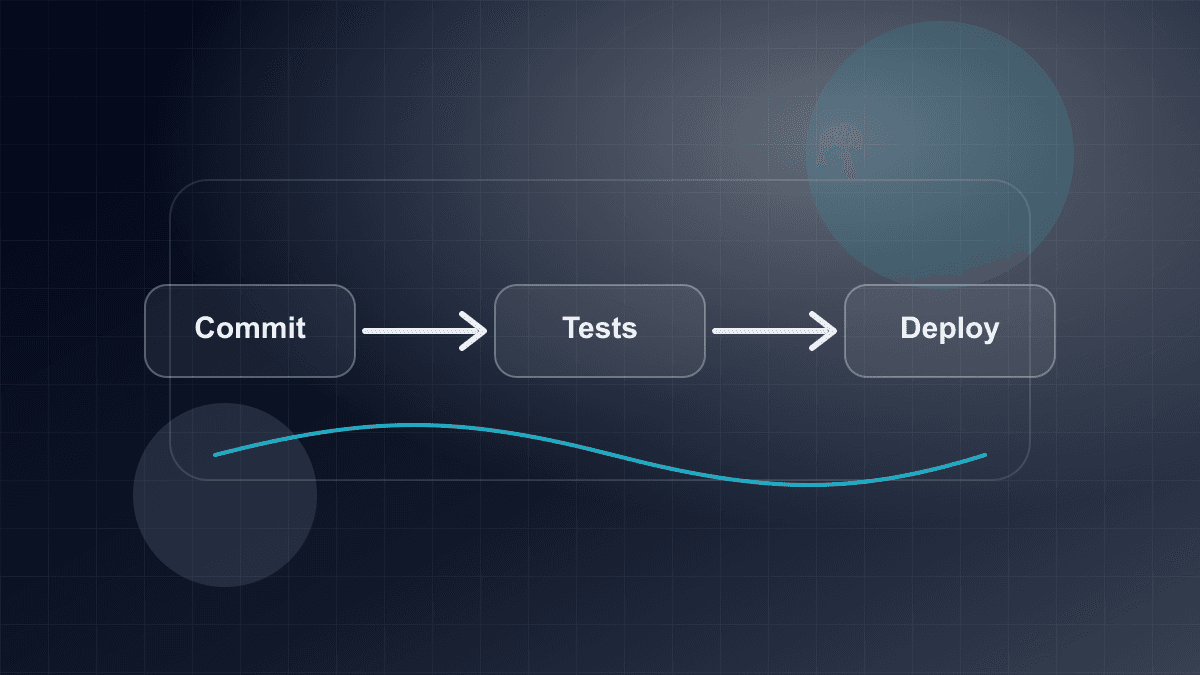
Static Site Generation (SSG) in the Next.js App Router re-architects this model. Rather than deferring page assembly to user request time, static generation executes rendering passes at build time (next build). The output is a deterministic set of immutable assets distributed to edge Content Delivery Networks (CDNs), allowing edge nodes to serve requests at response time relative to origin application compute.
However, moving from static marketing sites to high-scale production systems—spanning thousands of product pages, localized documentation hubs, and frequently updated content catalogs—reveals complex engineering trade-offs. How do dynamic route segments compile statically? How do you prevent accidental de-optimizations to dynamic rendering? And how can a platform scale to hundreds of thousands of routes without hitting linear build-time bottlenecks?
This guide examines the mechanics of static generation in modern Next.js (supporting Next.js 15/16 and React 19), exploring generateStaticParams, boundary controls with dynamicParams, static invariant enforcement, and hybrid Pareto build architectures.
The Core Paradigm: Dual-Artifact Static Prerendering
To understand static generation in the App Router, we must discard the legacy Pages Router mental model of generating a single monolithic HTML file per route. In the App Router, every statically generated route compiles into two distinct artifacts during next build:
- Pre-rendered HTML (
.html): A complete, fully formed HTML document representing the initial DOM tree. This artifact is delivered directly to web crawlers and first-visit browser requests, delivering rapid First Contentful Paint (FCP) and immediate search engine discoverability without requiring client-side JavaScript execution. - React Flight Payload (
.rsc): A compact, serialized stream representing the React Server Component (RSC) tree. It contains the resolved virtual DOM structure, serialized props, and module references ($R,$L) pointing to client component bundles.
Build-Time Compilation Flow (next build):

[ Route Source (page.tsx) ] + [ Layout Tree ] + [ Build-Time Data Fetch ]
                         │
                         ▼
        ┌─────────────────────────────────┐
        │  Next.js Static Compiler (RSC)  │
        └────────────────┬────────────────┘
                         │
         ┌───────────────┴───────────────┐
         ▼                               ▼
  [ Static HTML (.html) ]       [ Flight Stream (.rsc) ]
  • First-load document          • RSC virtual DOM & props
  • Crawler / SEO friendly       • Client navigation payloads
         │                               │
         └───────────────┬───────────────┘
                         ▼
             [ Edge CDN Edge Caches ]
             (Global Anycast Points of Presence)
The Request Lifecycle: Initial Load vs. Client Navigation
Understanding the duality between HTML and the React Flight payload explains how Next.js achieves high runtime performance:
- Initial Document Request: When a user pastes a URL or refreshes the page, the CDN serves the pre-rendered
.htmlfile. The browser immediately displays the page while simultaneously downloading the required client JavaScript chunks. React then hydrates the interactive client components embedded within the static shell. - Client-Side Soft Navigation: When a user transitions to a statically generated route via
<Link>orrouter.push(), the Next.js router does not request a full HTML document. Doing so would tear down the current DOM, re-run top-level layouts, and reset client state. Instead, the router fetches only the route's.rscpayload. The React runtime reconciles the new server component tree into the existing client DOM, preserving layout state and avoiding full-page reloads.
Because both the .html and .rsc artifacts are pre-calculated at build time, edge nodes fulfill both request types directly from cache storage, consuming zero compute cycles on the origin server.
Dynamic Route Segments: The generateStaticParams() Engine
Static generation for fixed routes (such as /about or /pricing) occurs automatically when a page contains no dynamic request hooks. However, real-world applications depend on dynamic route segments, such as app/blog/[slug]/page.tsx or app/catalog/[category]/[product]/page.tsx.
In the App Router, generateStaticParams() defines the parameter matrix that Next.js prerenders at build time. It supersedes the legacy Pages Router getStaticPaths API, integrating directly with React Server Components.
Modern Async params Conventions (Next.js 15/16 & React 19)
In modern Next.js releases (Next.js 15 and 16 with React 19), route parameters in Server Components and metadata functions are treated as asynchronous promises. Both params and searchParams are typed as Promise<T> and must be explicitly awaited before their properties are accessed.
Here is a complete, self-contained implementation of a statically generated dynamic route:
// app/articles/[slug]/page.tsx
import { notFound } from 'next/navigation';
import type { Metadata } from 'next';

// Define the route parameter contract
interface RouteParams {
  slug: string;
}

interface PageProps {
  params: Promise<RouteParams>;
}

interface ArticleRecord {
  slug: string;
  title: string;
  summary: string;
  body: string;
  publishedAt: string;
}

// In-memory data store for demonstration
const ARTICLES_STORE: Record<string, ArticleRecord> = {
  'zero-downtime-deployments': {
    slug: 'zero-downtime-deployments',
    title: 'Architecting Zero-Downtime Deployment Pipelines',
    summary: 'Explore blue-green, canary, and rolling deployment strategies for distributed systems.',
    body: 'Continuous deployment in distributed architectures requires resilient routing...',
    publishedAt: '2025-08-14',
  },
  'event-driven-microservices': {
    slug: 'event-driven-microservices',
    title: 'Event-Driven Architectures with Kafka and Outbox Patterns',
    summary: 'How to maintain data consistency across distributed boundaries without two-phase commit.',
    body: 'Transactional outbox patterns decouple database commits from message publishing...',
    publishedAt: '2025-09-02',
  },
};

// 1. Define pre-rendered routes at build time
export async function generateStaticParams(): Promise<RouteParams[]> {
  // In production, this queries your headless CMS, database, or filesystem
  return Object.keys(ARTICLES_STORE).map((slug) => ({
    slug,
  }));
}

// 2. Generate static metadata for SEO crawlers
export async function generateMetadata({ params }: PageProps): Promise<Metadata> {
  const { slug } = await params;
  const article = ARTICLES_STORE[slug];

  if (!article) {
    return {
      title: 'Article Not Found',
    };
  }

  return {
    title: article.title,
    description: article.summary,
    openGraph: {
      title: article.title,
      description: article.summary,
      type: 'article',
      publishedTime: article.publishedAt,
    },
  };
}

// 3. Statically pre-rendered Page Component
export default async function ArticlePage({ params }: PageProps) {
  const { slug } = await params;
  const article = ARTICLES_STORE[slug];

  if (!article) {
    notFound();
  }

  return (
    <article className="mx-auto max-w-3xl py-12 px-4">
      <header className="mb-8 border-b pb-6">
        <h1 className="text-4xl font-bold tracking-tight text-neutral-900">
          {article.title}
        </h1>
        <div className="mt-3 flex items-center gap-2 text-sm text-neutral-500">
          <time dateTime={article.publishedAt}>{article.publishedAt}</time>
          <span>•</span>
          <span>Article Reference: {slug}</span>
        </div>
      </header>
      <div className="prose prose-neutral max-w-none">
        <p className="lead text-xl text-neutral-700">{article.summary}</p>
        <div className="mt-6 text-neutral-800 leading-relaxed">
          {article.body}
        </div>
      </div>
    </article>
  );
}
Request Deduplication with React cache()
When generateMetadata and ArticlePage fetch the same underlying record from an external database or HTTP endpoint, multiple round-trips can slow down the build. Next.js automatically dedupes native fetch requests with identical URLs and options.
However, for database queries (e.g., Prisma, Drizzle, or ORM calls), you should wrap the fetching function in React's cache() utility:
import { cache } from 'react';

export const getArticleBySlug = cache(async (slug: string): Promise<ArticleRecord | null> => {
  // Database lookup executed exactly once per unique slug during the static render pass
  return fetchArticleFromDatabase(slug);
});
Within a single render pass during next build, both generateMetadata and ArticlePage invoke getArticleBySlug(slug), but the database query executes only once.
Hierarchical Parameter Composition
In nested dynamic routes—such as app/docs/[category]/[slug]/page.tsx—parameter resolution executes hierarchically from top to bottom.
When a parent layout and a child page both define dynamic segments, you can generate parameters at each level:
- A parent segment (
app/docs/[category]/layout.tsx) can export agenerateStaticParams()function that returns{ category: string }[]. - The child segment (
app/docs/[category]/[slug]/page.tsx) can either return the complete combination{ category: string, slug: string }[]directly, or consume parent parameters:
// app/docs/[category]/[slug]/page.tsx
interface SubPageProps {
  params: Promise<{
    category: string;
    slug: string;
  }>;
}

export async function generateStaticParams({
  params,
}: {
  params: { category: string };
}): Promise<{ slug: string }[]> {
  // Next.js passes resolved parent segment parameters into child static generators
  const categoryDocs = await getDocsForCategory(params.category);

  return categoryDocs.map((doc) => ({
    slug: doc.slug,
  }));
}
This top-down execution prevents combinatorial explosion by scoping child parameter discovery to its respective parent segment.
Controlling On-Demand Generation: dynamicParams Boundaries
When a user requests a URL whose dynamic parameter was not returned by generateStaticParams(), how should Next.js respond?
This behavior is governed by the route segment configuration option:
export const dynamicParams = true | false;
Incoming Dynamic Route Request: /catalog/item-xyz
                       │
                       ▼
         Is 'item-xyz' in CDN Cache?
             ├─── [ YES ] ──► Return Pre-rendered HTML / RSC (Instant Edge Hit)
             │
             └─── [ NO ]
                     │
                     ▼
           Check dynamicParams config:
                     │
         ┌───────────┴───────────┐
         ▼                       ▼
 [ dynamicParams = true ]  [ dynamicParams = false ]
 (Default Fallback)        (Strict Invariant)
         │                       │
         ▼                       ▼
 Execute Server Component  Immediate 404 (notFound)
 on origin on-demand       Zero origin compute
         │                 Zero database query
         ▼
 Cache result for future
 visitors & serve response
1. dynamicParams = true (On-Demand Fallback)
By default, dynamicParams is true. If a route parameter was not returned by generateStaticParams, Next.js does not return an immediate 404. Instead:
- The origin server invokes the page component on-demand for that specific request.
- If the component successfully renders without throwing
notFound(), Next.js serves the generated page to the user. - The newly generated HTML and React Flight payload are written to the Next.js Data Cache and edge CDN, serving subsequent visitors statically.
When to use: High-volume catalogs (e.g., e-commerce stores with hundreds of thousands of SKUs) where pre-building every long-tail page at build time is impractical.
Risks: Susceptible to cache stampedes (the thundering herd problem) if hundreds of concurrent visitors simultaneously request an ungenerated route, or if scrapers trigger thousands of on-demand origin renders.
2. dynamicParams = false (Strict Static Invariants)
When dynamicParams = false is specified, any parameter combination not explicitly declared in generateStaticParams triggers an immediate notFound() response (HTTP 404).
// app/press/[slug]/page.tsx
export const dynamicParams = false;

export async function generateStaticParams() {
  const releases = await getPressReleases();
  return releases.map((r) => ({ slug: r.slug }));
}
Key Advantages of Strict Static Boundaries:
- Security & DoS Protection: Prevents malicious bots from forcing expensive on-demand SSR computations or database queries by sending random UUIDs or fuzzing URL parameters.
- Predictable Infrastructure Costs: Origin compute servers never render unknown pages at runtime. All valid pages are guaranteed to exist at the edge CDN.
- Deterministic SEO Crawling: Ensures search engines receive immediate 404 responses for deprecated or nonexistent URLs rather than waiting for server execution.
Comparison: Boundary Configuration
| Dimension | dynamicParams = true (Default) | dynamicParams = false (Strict) |
| :--- | :--- | :--- |
| Unlisted Slugs | Generated on-demand on first request | Immediate 404 (notFound()) |
| Origin Compute Load | Variable; spikes under cold requests or scraping | Zero runtime page generation overhead |
| Build Time | Fast (can build subset of pages) | Requires declaring all valid paths |
| Cache Stampede Risk | Present during traffic surges to uncached URLs | Completely eliminated |
| Best-Fit Use Case | Large catalogs, user-generated content, long tails | Marketing sites, documentation, legal policies |
Guarding Static Invariants: export const dynamic = 'error'
A frequent pitfall in Next.js production systems is unintended dynamic de-optimization. A route designed to be statically pre-rendered can silently switch to runtime server-side rendering if an engineer introduces a dynamic API or uncached request.
Triggers for Accidental De-Optimization
Next.js automatically de-optimizes a static route to dynamic rendering when any component in the route tree accesses:
- Dynamic Header Reads: Calling
headers()fromnext/headers. - Cookie Reads: Calling
cookies()fromnext/headers. - URL Query Inspection: Accessing the
searchParamsprop inpage.tsx. - Uncached HTTP Requests: Calling
fetch()with{ cache: 'no-store' }or{ next: { revalidate: 0 } }.
Because the local development server (next dev) renders all routes dynamically by default, developers rarely notice when a route slips from static to dynamic. The regression is often discovered only after production deployment, when origin server CPU metrics climb or CDN cache hit rates drop.
Enforcing Compile-Time Guarantees
To prevent accidental regressions, Next.js provides the segment configuration flag:
export const dynamic = 'error';
When dynamic = 'error' is declared at the layout or page level, Next.js enforces a strict compile-time check during next build. If any component in the route hierarchy attempts to read headers, inspect cookies, access searchParams, or perform an uncached fetch, the build fails immediately with a detailed error stack.
// app/privacy-policy/page.tsx
import { cookies } from 'next/headers';

// Assert compile-time static invariant
export const dynamic = 'error';

export default async function PrivacyPolicyPage() {
  // If an engineer mistakenly adds:
  // const cookieStore = await cookies();
  //
  // `next build` will immediately throw:
  // Error: Page "/privacy-policy" exported `dynamic = "error"`, but accessed `cookies()`.

  return (
    <main className="max-w-4xl mx-auto py-12 px-6">
      <h1 className="text-3xl font-bold">Privacy Policy</h1>
      <p className="mt-4 text-neutral-600">
        This document represents an immutable, statically generated compliance policy.
      </p>
    </main>
  );
}
dynamic = 'error' vs. dynamic = 'force-static'
Next.js also provides export const dynamic = 'force-static'. It is crucial to understand the behavioral difference:
force-static: Forces static generation by mocking dynamic values. If a component callscookies(), Next.js returns an emptyReadonlyRequestCookiesobject without error. If a component inspectssearchParams, it receives an empty object. This can mask underlying logic bugs.error: Does not mock values. It strictly enforces that the code is free of dynamic dependencies, treating any dynamic call as a compilation failure.
In production engineering, prefer dynamic = 'error' when you want an explicit guarantee that a route cannot de-optimize into dynamic execution.
Scaling Large Catalogs: The Hybrid Build Strategy
As applications scale, static site generation encounters the Build Time Dilemma.
If an e-commerce platform or documentation site hosts 50,000 distinct items, pre-rendering every item during next build requires 50,000 component render passes and accompanying data queries. Even with high build concurrency, linear build scaling causes:
- Build Time Bloat: Hours spent in CI/CD pipelines, slowing down critical security patches and feature releases.
- Database & API Exhaustion: Thousands of simultaneous queries during the build phase can overwhelm upstream headless CMS rate limits or relational database connection pools.
- CI Runner Memory Saturation: Retaining massive AST trees and serialized payloads in memory can cause out-of-memory (OOM) failures in containerized build environments.
The Pareto Principle (80/20 Rule) in Static Architecture
In almost every large-scale web platform, user traffic follows a power-law distribution: the top 5% to 10% of pages (top-selling items, current news, index guides) generate 80% to 90% of total page views and crawler requests. The remaining 90% of pages form a long tail visited infrequently.
By combining generateStaticParams(), dynamicParams = true, and Incremental Static Regeneration (revalidate), you can build a resilient hybrid architecture:
Build Time vs. Runtime Split (The Pareto Build Strategy):

Total Catalog: 100,000 Routes
├── Head Tier (Top 1,000 Popular Routes)
│   ├── Returned by generateStaticParams() at next build
│   ├── Pre-baked into immutable .html and .rsc files
│   └── 100% Cache Hit Rate from the moment deployment goes live
│
└── Tail Tier (99,000 Long-Tail Routes)
    ├── dynamicParams = true
    ├── Generated lazily on-demand upon first individual user visit
    └── Stored in CDN cache with revalidate window (ISR)
Implementation: Production Hybrid Route
// app/products/[sku]/page.tsx
import { notFound } from 'next/navigation';
import type { Metadata } from 'next';

interface ProductPageProps {
  params: Promise<{ sku: string }>;
}

// 1. Revalidate static assets every 12 hours (43,200 seconds)
export const revalidate = 43200;

// 2. Allow unbuilt long-tail items to generate on-demand
export const dynamicParams = true;

interface ProductRecord {
  sku: string;
  name: string;
  price: string;
  inStock: boolean;
}

// Mock query fetching high-traffic catalog items
async function getTopSellingSKUs(limit: number): Promise<string[]> {
  // In production, query analytics service or database for top N products
  return ['sku-flagship-01', 'sku-flagship-02', 'sku-budget-01'];
}

async function fetchProduct(sku: string): Promise<ProductRecord | null> {
  // Database or API query
  const catalog: Record<string, ProductRecord> = {
    'sku-flagship-01': { sku: 'sku-flagship-01', name: 'Precision Workstation Pro', price: '$2,499', inStock: true },
    'sku-flagship-02': { sku: 'sku-flagship-02', name: 'Ultra-Wide Monitor 34"', price: '$899', inStock: true },
    'sku-budget-01': { sku: 'sku-budget-01', name: 'Ergonomic Mechanical Keyboard', price: '$149', inStock: true },
    'sku-longtail-99': { sku: 'sku-longtail-99', name: 'Replacement USB-C Cable 2m', price: '$19', inStock: true },
  };

  return catalog[sku] || null;
}

// Pre-render ONLY the top items during CI build
export async function generateStaticParams(): Promise<{ sku: string }[]> {
  const topSKUs = await getTopSellingSKUs(1000);
  return topSKUs.map((sku) => ({ sku }));
}

export async function generateMetadata({ params }: ProductPageProps): Promise<Metadata> {
  const { sku } = await params;
  const product = await fetchProduct(sku);

  if (!product) {
    return { title: 'Product Not Found' };
  }

  return {
    title: `${product.name} | Hardware Catalog`,
    description: `Order ${product.name} online. Available now for ${product.price}.`,
  };
}

export default async function ProductPage({ params }: ProductPageProps) {
  const { sku } = await params;
  const product = await fetchProduct(sku);

  if (!product) {
    notFound();
  }

  return (
    <div className="max-w-4xl mx-auto py-10 px-4">
      <div className="border rounded-lg p-6 bg-white shadow-sm">
        <span className="text-xs uppercase tracking-wider text-neutral-400">SKU: {sku}</span>
        <h1 className="text-2xl font-bold text-neutral-900 mt-2">{product.name}</h1>
        <p className="text-3xl font-semibold text-emerald-600 mt-4">{product.price}</p>
        <p className="mt-2 text-sm text-neutral-500">
          Status: {product.inStock ? 'In Stock (Ready to Ship)' : 'Backordered'}
        </p>
      </div>
    </div>
  );
}
With this architecture:
- Build times complete in minutes because CI processes only the critical 1,000 routes.
- The highest-traffic pages enjoy zero-latency CDN hits immediately upon release.
- Less popular long-tail pages incur a brief initial SSR render on their first visit, after which they are cached for subsequent requests.
Architectural Comparison: SSG vs. SSR vs. ISR
Choosing the appropriate rendering strategy requires balancing data freshness, computational costs, and latency budgets.
| Strategy | Rendering Timing | Origin Compute Overhead | TTFB (Time to First Byte) | Data Freshness | Primary Trade-Off |
| :--- | :--- | :--- | :--- | :--- | :--- |
| Static Generation (SSG) | Build time (next build) | None (Served 100% from Edge CDN) | Ultra-low (Edge CDN latency, typically 10–30ms) | Static until next deployment | Stale content if data changes between deployments; build duration scales with route count |
| Dynamic Rendering (SSR) | Request time (Per incoming HTTP request) | High (Serverless function / Node.js instance invoked per hit) | Variable (Dependent on server compute & DB latency, often 100–500ms+) | 100% real-time | Higher cloud infrastructure costs; vulnerability to traffic spikes and cold starts |
| Incremental Static Regeneration (ISR) | Build time + Background revalidation | Low (Recomputed periodically in background) | Ultra-low for cached hits; background re-render | Stale-while-revalidate window defined by revalidate | Temporary presentation of stale data while background regeneration executes |
| Client-Side Rendering (CSR) | Browser runtime (Post-download) | Client CPU execution | Fast HTML shell, slow time to interactive content | Real-time on client fetch | Poor SEO for complex content; loading layout shift; heavy client JS bundle requirements |
Route Segment Configuration Reference
The App Router provides declarative exports to calibrate static and dynamic boundaries at the file level:
// Complete Route Segment Configuration Flags
export const dynamic = 'auto' | 'force-dynamic' | 'error' | 'force-static';
export const dynamicParams = true | false;
export const revalidate = false | 0 | number;
export const fetchCache = 'auto' | 'default-cache' | 'only-cache' | 'force-cache' | 'force-no-store' | 'default-no-store' | 'only-no-store';
Segment Flag Behavior Matrix
dynamic = 'auto'(Default): Next.js inspects the route. If it discovers dynamic functions (cookies(),headers(),searchParams) or uncached fetches, it renders dynamically; otherwise, it pre-renders statically.dynamic = 'error': Guarantees static generation by throwing build-time errors if any dynamic function or uncached request is encountered.dynamic = 'force-static': Forces static rendering by returning empty or default values for dynamic hooks (cookies(),headers()).dynamic = 'force-dynamic': Bypasses static generation entirely; the route executes dynamically on every request.dynamicParams = false: Restricts dynamic route segments strictly to the array returned bygenerateStaticParams(). Unmatched routes immediately return a 404.revalidate = false(Default for SSG): The resource is cached indefinitely until a new build is deployed or an on-demand revalidation trigger (revalidateTagorrevalidatePath) is executed.revalidate = <seconds>: Enables Incremental Static Regeneration. Serves stale content from cache while re-generating the page in the background after<seconds>have elapsed.
Common Production Pitfalls and Anti-Patterns
1. Leaking searchParams into Pure Static Pages
In the Next.js App Router, referencing searchParams inside a page.tsx component opts the entire route into runtime dynamic rendering:
// ❌ ANTI-PATTERN: Forces dynamic SSR on every request
export default async function CatalogPage({
  searchParams,
}: {
  searchParams: Promise<{ sort?: string }>;
}) {
  const { sort } = await searchParams; // Accidental de-optimization!
  return <CatalogList sortOrder={sort} />;
}
The Solution: Keep the server component static. Read query parameters inside a client component wrapped in a React Suspense boundary:
// ✅ PRODUCTION PATTERN: Page remains 100% static
// app/catalog/page.tsx
import { Suspense } from 'react';
import FilterControls from './FilterControls'; // Client Component with useSearchParams()

export const dynamic = 'error';

export default function CatalogPage() {
  return (
    <main>
      <h1>Product Catalog</h1>
      <Suspense fallback={<div className="h-10 bg-neutral-100 animate-pulse" />}>
        <FilterControls />
      </Suspense>
      <StaticProductGrid />
    </main>
  );
}
2. Saturated Database Connections During Parallel Prerendering
During next build, Next.js executes generateStaticParams and route rendering concurrently using worker threads. If generateStaticParams() returns 5,000 items and each page independently queries a relational database, you may encounter connection pool exhaustion:
PrismaClientInitializationError: Can't reach database server at `db.internal:5432` - connection pool timeout
Mitigations:
- Ensure your build environment utilizes a connection pooler (e.g., PgBouncer, Supabase Pooler, or AWS RDS Proxy).
- Pre-fetch bulk data during
generateStaticParamsand write it to a local temporary cache file or in-memory map rather than executing individual queries per page thread. - Tune worker concurrency in
next.config.jsif necessary using experimental worker limits.
3. Missing 404 Boundary Handling
When configuring dynamicParams = false, engineers sometimes forget to invoke notFound() inside the page component when data resolution fails:
// ❌ ANTI-PATTERN: Throws an unhandled 500 error if record is null
export default async function Page({ params }: PageProps) {
  const { slug } = await params;
  const data = await fetchRecord(slug);
  return <div>{data.title}</div>; // TypeError if data is null!
}

// ✅ PRODUCTION PATTERN: Explicit boundary
export default async function Page({ params }: PageProps) {
  const { slug } = await params;
  const data = await fetchRecord(slug);

  if (!data) {
    notFound(); // Cleanly triggers not-found.tsx
  }

  return <div>{data.title}</div>;
}
Production Verification Checklist
Before deploying static routes to production, execute this engineering verification audit:
- [ ] Verify Build Route Manifest: Run
next buildand inspect the CLI route table. Ensure target routes display the static indicator (○Static or●SSG) rather than the dynamic lambda symbol (ƒDynamic). - [ ] Assert Static Invariants: For routes intended to remain strictly static, add
export const dynamic = 'error'to catch regressions in CI. - [ ] Validate Edge Cache Headers: Inspect response headers on your staging CDN using
curl -I https://staging.example.com/target-path:cache-control: s-maxage=31536000, stale-while-revalidate(or platform equivalent).- Confirm edge cache status headers indicate a cache hit (
x-vercel-cache: HIT,cf-cache-status: HIT).
- [ ] Verify Async
paramsTypes: Ensure allpage.tsx,layout.tsx, andgenerateMetadatafunctions typeparamsasPromise<T>and explicitlyawaitthe promise before property access. - [ ] Audit Boundary Settings: Confirm whether
dynamicParams = falseis appropriate to prevent database scraping or URL fuzzing attacks. - [ ] Request Deduplication: Verify that shared database queries between
generateMetadataandPageare wrapped in Reactcache(). - [ ] Robots & Sitemap Congruence: Ensure all slugs emitted by
generateStaticParams()match the URLs generated inapp/sitemap.ts.
Conclusion
Static Site Generation in Next.js is not an all-or-nothing architectural choice. With the App Router, static generation functions as a precision tool:
- Use pure static generation with
dynamic = 'error'anddynamicParams = falsefor critical documentation, marketing pages, legal policies, and fixed informational hubs where zero runtime latency and high security are mandatory. - Use the Pareto hybrid strategy with
generateStaticParams()anddynamicParams = truefor high-volume catalogs, balancing rapid CI build cycles with edge CDN caching. - Guard your rendering boundaries deliberately. By understanding how the React Flight payload interacts with pre-rendered HTML and enforcing compile-time invariants, you can build web applications that deliver instant page loads and remain stable under unpredictable global traffic.