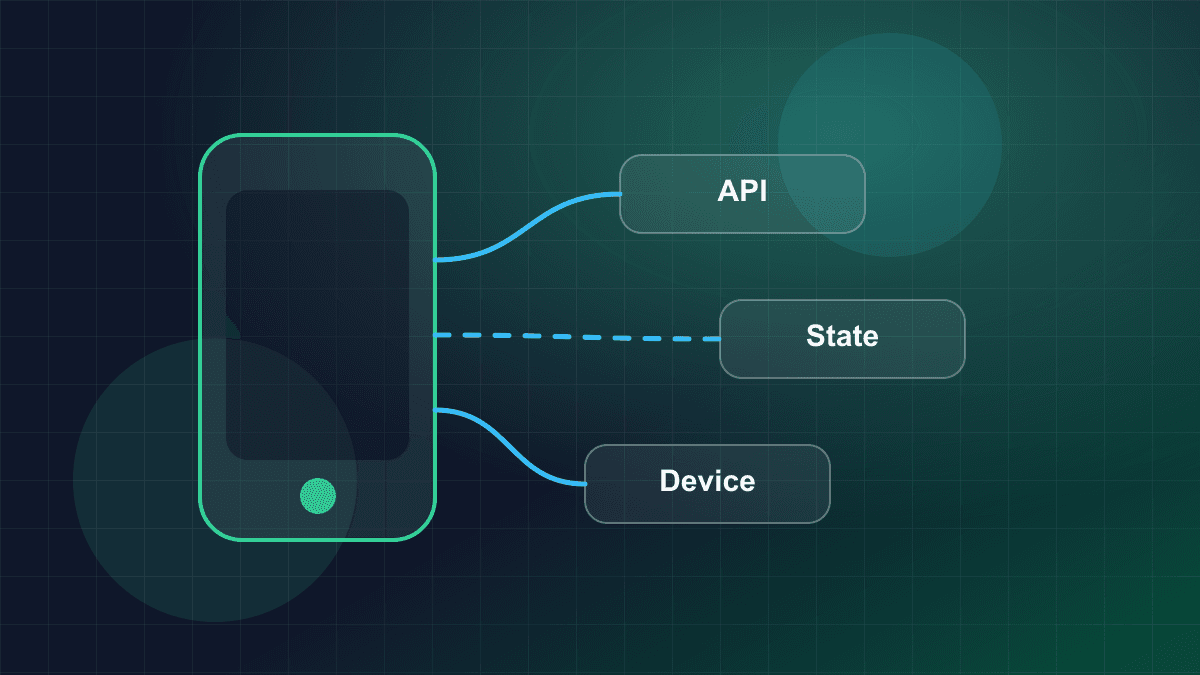
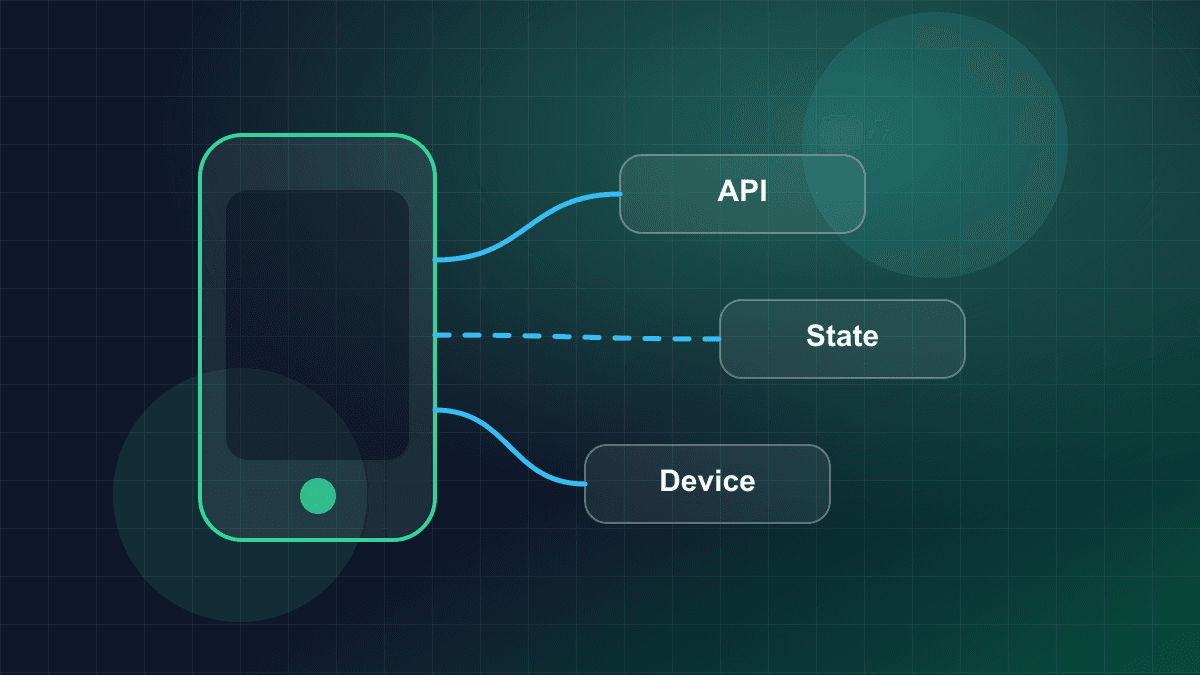
Local Storage in Mobile Applications: Choosing the Right Strategy
Architect resilient mobile data persistence: comparing key-value stores, SQLite relational engines, NoSQL document databases, schema migrations, and hardware-backed encryption.
Local Storage in Mobile Applications: Choosing the Right Strategy
Mobile applications operate under constraints fundamentally different from server-side environments. Client devices run on battery power, face unexpected operating system process terminations, suffer from intermittent network connectivity, and execute code on flash memory controllers with limited write endurance. In this environment, selecting a local storage strategy is not a cosmetic implementation detail; it is a foundational architectural decision that dictates app responsiveness, offline reliability, security posture, and long-term maintainability.
When engineering teams treat client-side storage as a single homogenous bucket—dumping authentication tokens, relational application state, transient cache responses, and user preferences into whatever library is quickest to install—production issues inevitably follow:
- Main thread stalls and dropped frames during screen transitions caused by synchronous disk I/O.
- Application Not Responding (ANR) crashes on Android when preference stores flush heavily queued writes during activity lifecycle changes.
- Cryptographic keys and authentication tokens leaked in plain text via device backups or rooted environments.
- Catastrophic database corruption or migration failures when users upgrade across multiple application releases without opening intermediate versions.
This guide provides a rigorous architectural breakdown of mobile local storage strategies. We analyze the four primary tiers of the mobile storage spectrum, evaluate SQLite concurrency and Write-Ahead Logging (WAL) mechanics, examine sequential schema migration pipelines, detail hardware-backed encryption architectures, and provide a self-contained, production-grade TypeScript implementation of a unified Storage Coordinator.
The Mobile Local Storage Spectrum & Comparative Taxonomy
Modern mobile platforms provide multiple persistence mechanisms, each engineered for distinct access patterns, throughput characteristics, and consistency guarantees. Selecting the appropriate tool requires categorizing application data into distinct functional tiers.
┌─────────────────────────────────────────────────────────────────────────────┐
│                       MOBILE LOCAL STORAGE SPECTRUM                         │
├─────────────────┬───────────────────┬───────────────────┬───────────────────┤
│ Tier 1: KV /    │ Tier 2: Relational│ Tier 3: Document  │ Tier 4: Hardware  │
│ Preferences     │ Engines (SQLite)  │ / NoSQL (Realm)   │ Secure Storage    │
├─────────────────┼───────────────────┼───────────────────┼───────────────────┤
│ • UserDefaults  │ • SQLite / Room   │ • Realm / Mongo   │ • iOS Keychain    │
│ • DataStore     │ • Core Data       │ • Hive            │ • Android Keystore│
│ • SharedPrefs   │ • Drift / sqflite │ • Isar            │ • Secure Enclave  │
├─────────────────┼───────────────────┼───────────────────┼───────────────────┤
│ Best for:       │ Best for:         │ Best for:         │ Best for:         │
│ Small UI flags, │ Relational domain │ High-throughput   │ Auth tokens,      │
│ theme choices,  │ data, offline SSOT│ object graphs,    │ master database   │
│ feature toggles │ complex queries   │ zero-copy reads   │ encryption keys   │
└─────────────────┴───────────────────┴───────────────────┴───────────────────┘
1. Primitive Key-Value / Preference Stores
Every major mobile operating system provides an out-of-the-box key-value preference store:
- iOS:
UserDefaults(backed by XML or binary.plistfiles located in the app sandbox underLibrary/Preferences/<bundle-id>.plist). - Android:
SharedPreferences(backed by XML files in/data/data/<package>/shared_prefs/) and modern JetpackDataStore(Preferences DataStore and Proto DataStore).
Internal Architecture
Preference stores maintain an in-memory dictionary cache that mirrors a serialized on-disk file. When an application initializes a preference store, the entire file is parsed from disk into memory. Subsequent read operations query the in-memory map directly, delivering average-time lookup speed. Writes mutate the in-memory map immediately and schedule or execute an on-disk serialization routine.
Production Constraints and Failure Modes
- Cold-Start Latency Stalls: Because the entire XML or plist file must be deserialized on initialization, storing large datasets (such as cached API responses or JSON blobs) creates severe startup bottlenecks. If initialized on the UI thread, a large preference file blocks process boot, delaying first frame rendering.
- Synchronous Disk I/O & Lifecycle ANRs: On Android,
SharedPreferencesprovides two write mechanisms:commit(): Writes changes to disk synchronously and blocks the calling thread until the write completes, returning a boolean. Callingcommit()on the main thread directly introduces frame drops.apply(): Updates the in-memory map immediately and schedules an asynchronous disk write on a dedicated background executor. However, during lifecycle transitions (such asActivity.onPause()orActivity.onStop()), Android'sActivityThreadwaits synchronously for all queuedapply()disk writes to drain. If background writes are backlogged, the main thread blocks, triggering an ANR dialog after 5 seconds of unresponsiveness.
- Jetpack DataStore Modernization: Jetpack
DataStoreaddresses these historical flaws by relying on Kotlin Coroutines and asynchronousFlowpipelines. It handles data updates transactionally, avoids blocking thread operations, and isolates data corruption via defined serialization protocols. - Zero Security: Standard preference stores store data on disk unencrypted. On rooted Android devices, jailbroken iOS devices, or via unencrypted local system backups, these files can be inspected in plain text. Storing access tokens, refresh tokens, or personal identifiers in standard preference stores constitutes a critical vulnerability.
2. Relational Embedded Engines (SQLite)
SQLite is the gold standard for robust local mobile persistence. Embedded directly within iOS, Android, and cross-platform runtimes (React Native, Flutter), SQLite provides full ACID (Atomicity, Consistency, Isolation, Durability) guarantees, structured query capabilities, and foreign key integrity.
Platform Abstractions
- Android: Jetpack
Roomprovides compile-time verification of SQL statements, object-relational mapping (ORM), and first-class integration with KotlinFlowand RxJava. - iOS: Native C SQLite APIs,
Core Data(using SQLite as its persistent store coordinator), andSwiftData. - Flutter:
Drift(formerly Moor), which provides type-safe Dart query builders with compile-time query validation, andsqflite.
Key Structural Advantages
- B-Tree Indexing: Unlike key-value stores that require full scans over serialized records, SQLite indexes data using B-trees. Point lookups, range scans, sorting, and joins execute with predictable logarithmic complexity relative to the indexed dataset.
- Page-Level I/O: SQLite manages storage in fixed-size blocks (typically 4096 bytes per page). Reads and writes operate on specific disk pages rather than rewriting the entire database, keeping disk write amplification low.
- ACID Transactions: Multi-step operations (e.g., updating an order status while inserting audit log records and decrementing an inventory count) execute atomically within a single transaction. If the app process is killed mid-transaction, SQLite's recovery engine rolls back uncommitted changes automatically.
- Reactive Subscriptions: Engines like Room and Drift track table invalidations (
PRAGMA data_versionand internal table change observers). When a write occurs, active query listeners automatically re-query the affected rows and emit updated snapshots directly to the UI layer.
3. Document & Binary NoSQL Stores
Document-oriented mobile databases, including Realm (Atlas Device Sync / Realm Core), Hive, and Isar, approach persistence from an object-centric model rather than relational tables.
Internal Architecture
- Zero-Copy Memory Mapping: Realm relies on direct memory mapping (
mmap). Rather than deserializing disk blocks into native heap objects (which consumes RAM and triggers garbage collector churn), Realm objects access properties directly from memory-mapped disk buffers. - High-Throughput Ingestion: Because these engines bypass SQL parsing, query planning, and intermediate relational translation, bulk writes and reads of deeply nested object graphs often execute with minimal CPU overhead.
Architectural Trade-offs & Operational Hazards
- Thread Confinement: In engines like Realm, live managed objects are strictly confined to the thread or isolate on which they were instantiated. Attempting to access or mutate a live Realm object across thread boundaries throws a fatal runtime exception (
RealmException: Object is managed by another Realm instance / thread). To share data across threads, engineers must explicitly create frozen immutable snapshots (freeze()) or pass primary keys and re-query on the target thread. - Proprietary Tooling and Binary Formats: Unlike SQLite, where standard CLI binaries (
sqlite3) and GUI inspectors can inspect and debug any database file, NoSQL stores use proprietary binary formats requiring specialized vendor tooling. - Binary Migrations: Structural changes require defining custom migration blocks in code. Renaming properties or altering relation shapes without backward-compatible migration logic can cause app crashes upon launch.
4. Hardware-Backed Secure Storage
Sensitive secrets—such as API authorization tokens, user biometrics enrollment flags, and cryptographic database master keys—must never reside in standard user-space storage. Mobile platforms provide dedicated hardware security modules for this purpose.
┌─────────────────────────────────────────────────────────────────────────────┐
│                    HARDWARE SECURE STORAGE BOUNDARY                         │
├──────────────────────────────────────┬──────────────────────────────────────┤
│               iOS                    │               Android                │
├──────────────────────────────────────┼──────────────────────────────────────┤
│ • iOS Keychain Services              │ • Android Keystore System            │
│ • Secure Enclave Processor (SEP)     │ • Trusted Execution Environment (TEE)│
│ • Hardware AES coprocessor           │ • StrongBox Keymaster hardware chip  │
├──────────────────────────────────────┼──────────────────────────────────────┤
│ Access Controls:                     │ Access Controls:                     │
│ • kSecAccessControlBiometryAny       │ • KeyProperties.PURPOSE_ENCRYPT/DECR │
│ • kSecAttrAccessibleAfterFirstUnlock │ • setUserAuthenticationRequired(true)│
└──────────────────────────────────────┴──────────────────────────────────────┘
Hardware Isolation
- iOS Keychain & Secure Enclave (SEP): The SEP is an isolated hardware coprocessor fabricated on the Apple SoC. It runs an independent, microkernel-based operating system, features isolated memory, and includes a dedicated hardware AES engine. Private keys generated inside the Secure Enclave never enter the main application processor's memory space; cryptographic signatures and decryptions occur inside the coprocessor.
- Android Keystore System: The Android Keystore stores cryptographic keys inside a hardware-isolated environment—either an ARM TrustZone Trusted Execution Environment (TEE) or a dedicated tamper-resistant hardware chip (StrongBox Keymaster).
The Keystore Architectural Boundary
Platform keystores communicate with user-space applications across inter-process communication (IPC) buses or serial peripheral interfaces. These interfaces have severe performance and capacity limitations:
- High Latency: Key generation, encryption, and decryption calls via hardware keystores take several milliseconds per invocation due to IPC context switching and hardware coprocessor cryptographic execution.
- Storage Limits: Hardware security modules are engineered to store kilobyte-scale cryptographic keys and small authorization tokens, not bulk application data. Attempting to write large JSON payloads or database files to Keychain or Keystore causes IPC buffer exhaustion, battery drain, and storage quota exceptions.
[!IMPORTANT] The Golden Rule of Mobile Secret Storage: Use the hardware Keystore/Keychain strictly to generate and hold a 256-bit symmetric encryption key. Use that key to encrypt your bulk application database (via SQLCipher) stored on normal flash memory. Never store application databases directly in platform keystores.
Storage Spectrum Comparison Matrix
The following matrix summarizes the architectural trade-offs across the four mobile storage tiers:
| Dimension | Key-Value / Preferences | Relational (SQLite / Room) | Document NoSQL (Realm) | Hardware Secure Storage |
| :--- | :--- | :--- | :--- | :--- |
| Primary Platform APIs | UserDefaults, SharedPreferences, DataStore | SQLite, Android Room, Core Data, Drift | Realm Core, Hive, Isar | iOS Keychain, Android Keystore |
| Underlying Format | XML, .plist, Protocol Buffers | Fixed-size B-Tree disk pages (4096 bytes) | Proprietary binary format via mmap | Hardware-encrypted system database / TEE |
| Data Structure | Primitive Key-Value pairs | Relational tables, columns, foreign keys | Nested documents, object graphs | Encrypted key-value credentials |
| Query Capability | Exact key lookup ( in memory) | Complex SQL, indexing, aggregations, joins | Object query DSL, predicate filtering | Exact key lookup |
| ACID Guarantees | None (atomic writes on DataStore) | Full ACID compliance | ACID compliance within thread scope | Atomic per-operation updates |
| Concurrency Model | In-memory cache + async flush | WAL mode: concurrent reads + 1 write | Thread-confined instances (freeze() required) | Thread-safe serialized IPC calls |
| Typical Size Limit | recommended | Hundreds of megabytes to gigabytes | Hundreds of megabytes | Kilobytes (tokens and keys only) |
| Encryption Support | Unencrypted by default | Supported via SQLCipher (page-level) | Built-in 512-bit key encryption | Hardware-isolated AES encryption |
| Ideal Production Use | UI preferences, theme mode, feature flags | Business domain state, offline data models | High-volume telemetry, complex nested trees | Auth tokens, database master encryption keys |
Concurrency & Journaling: WAL vs. Rollback Journal in SQLite
When utilizing SQLite in mobile applications, database configuration dictates concurrency characteristics. By default, older SQLite configurations use a traditional rollback journal. Production mobile architectures should explicitly configure Write-Ahead Logging (WAL).
TRADITIONAL ROLLBACK JOURNAL MODE (Exclusive Locking)
[Writer Transaction] ──(Acquires EXCLUSIVE Lock)──> [Database File]
                                                          ▲
[Reader Query] ───────(BLOCKED: Returns SQLITE_BUSY)──────┘

WRITE-AHEAD LOGGING (WAL) MODE (Concurrent Non-Blocking Execution)
[Writer Transaction] ──> [Appends to database.db-wal]
                                │ (Non-blocking)
[Reader Query] ───────> [Reads database.db + database.db-shm]
Rollback Journal Mechanics
In rollback journal mode (PRAGMA journal_mode = DELETE | TRUNCATE | PERSIST):
- When a transaction modifies a database page, SQLite copies the original, unmodified page to a rollback journal file (
<database>.db-journal). - The transaction applies changes directly to the main database file.
- During this write phase, SQLite acquires an EXCLUSIVE lock on the database file.
- All concurrent read operations are blocked. Any background or UI query attempting to execute during this window fails with
SQLITE_BUSYor blocks until the lock is released. - Once committed, the journal file is deleted or truncated.
In a mobile app performing background synchronization while the user scrolls a feed, rollback mode inevitably causes UI stutter and contention exceptions.
Write-Ahead Logging (WAL) Mechanics
In WAL mode (PRAGMA journal_mode = WAL):
- Changes are never written directly to the original database file during a transaction. Instead, new database pages are appended sequentially to a separate write-ahead log file (
<database>.db-wal). - A shared-memory index file (
<database>.db-shm) tracks the locations of the newest pages in the WAL file. - Readers never block writers, and writers never block readers:
- A reader querying the database reads unmodified pages from the original database file and checks the
-shmindex to substitute any newer pages committed to the-walfile. - A writer appends new pages to the end of the
-walfile concurrently without altering the main database file.
- A reader querying the database reads unmodified pages from the original database file and checks the
- Checkpointing: Periodically, SQLite executes a checkpoint operation (
PRAGMA wal_checkpoint), copying modified pages from the WAL file back into the primary database file and resetting the WAL file pointer.
Architectural Comparison: Rollback Journal vs. WAL Mode
| Feature / Characteristic | Traditional Rollback Journal | Write-Ahead Logging (WAL) Mode |
| :--- | :--- | :--- |
| Disk Files | db, db-journal | db, db-wal, db-shm |
| Write Concurrency | Writer acquires EXCLUSIVE lock, blocking readers | Writer writes to WAL; readers proceed concurrently |
| Read Concurrency | Readers block writers; writers block readers | Multiple concurrent readers can execute during active write |
| Write Performance | 2 disk writes per transaction (journal + main db) | 1 sequential append to WAL file (faster flash I/O) |
| Lock Contention (SQLITE_BUSY) | High under concurrent read/write workloads | Minimal (contention only between multiple concurrent writers) |
| Memory Mapping (mmap) | Optional | Relies on -shm shared-memory index for coordination |
| Recommended Connection Pool | Single connection shared across threads | 1 dedicated serialized writer connection + reader connections |
Connection Pool Discipline for Mobile Devices
Unlike backend servers that manage pools of dozens of database connections across many CPU cores, mobile devices are bounded by flash controller queue depth and thermal throttling.
The optimal mobile SQLite connection architecture consists of:
- Exactly One Dedicated Writer Connection: Serialized through a background queue or single-threaded executor. Because SQLite allows only one active writer transaction even in WAL mode, serializing writes prevents lock acquisition contention.
- A Controlled Pool of Read-Only Connections: Typically 2 to 4 read-only connections running in WAL mode to serve background queries and UI read streams without waiting for active write transactions.
Full Database Encryption at Rest: SQLCipher Architecture
For healthcare applications, financial services, enterprise tools, or apps handling sensitive consumer data, data stored in SQLite must be encrypted at rest. The industry standard for transparent, full-database SQLite encryption is SQLCipher.
Page-Level AES-256 Encryption
Unlike application-level field encryption (which only encrypts specific text columns while leaving table names, row counts, indexes, and metadata in plain text), SQLCipher operates at the storage page level:
- Every SQLite page (typically 4096 bytes) is encrypted individually using 256-bit AES in CBC or GCM mode.
- Each page includes an initialization vector (IV) and a message authentication code (HMAC-SHA512 or HMAC-SHA256) stored in a reserved page footer.
- The database schema, column names, B-tree indexes, freelists, and write-ahead log (
-wal) pages are completely encrypted. To any unauthorized reader inspecting the raw file, the database appears as pseudo-random high-entropy noise.
┌─────────────────────────────────────────────────────────────────────────────┐
│                      SQLCIPHER ENCRYPTION PIPELINE                          │
├─────────────────────────────────────────────────────────────────────────────┤
│ 1. Device Boot / App Launch:                                                │
│    App queries iOS Keychain / Android Keystore for Database Master Key.     │
│                                                                             │
│ 2. Keystore retrieves 256-bit raw random key bytes:                         │
│    Key = [0x3F, 0xA8, 0x12, ..., 0x99] (32 bytes / 256 bits)                │
│                                                                             │
│ 3. App passes raw key to SQLCipher connection:                              │
│    PRAGMA key = "x'3FA812...99'";                                           │
│                                                                             │
│ 4. Read/Write Execution:                                                    │
│    • Disk Read: Read 4096-byte encrypted page -> Verify HMAC -> AES Decrypt │
│    • Disk Write: AES Encrypt page -> Compute HMAC -> Write 4096 bytes to disk│
└─────────────────────────────────────────────────────────────────────────────┘
Key Derivation: Passphrase vs. Raw Key
SQLCipher supports two methods for unlocking an encrypted database:
- Passphrase Derivation (PBKDF2 / Argon2):
When provided a string passphrase (
PRAGMA key = 'user-password'), SQLCipher derives the raw 256-bit AES key using PBKDF2 with hundreds of thousands of iterations (e.g., 256,000 iterations). While secure against brute-force attacks on weak passwords, running 256,000 PBKDF2 iterations on a mobile processor during app startup introduces noticeable latency (often hundreds of milliseconds). - Raw Master Key Injection (
x'...'): In production mobile architecture, user authentication is managed via biometrics or secure sessions. The application generates a cryptographically secure 256-bit random byte array on first run, saves it to the hardware Keychain/Keystore, and injects it directly as raw hexadecimal bytes:
This bypasses the expensive PBKDF2 derivation step completely, reducing database initialization time to sub-millisecond speeds while maintaining hardware-isolated cryptographic security.PRAGMA key = "x'9a3d...raw_256_bit_hex_key...'";
Schema Evolution, Versioning & Migration Architecture
Mobile applications cannot execute centralized schema migrations. While a web application backend can migrate a single Postgres database instance during a coordinated deployment, a mobile application is distributed across millions of heterogeneous client devices.
The SQLite Versioning Primitive: PRAGMA user_version
SQLite provides an internal 32-bit signed integer reserved specifically for application version tracking, located at byte offset 60 of the database file header. It is queried and updated via:
PRAGMA user_version;       -- Returns current integer version (e.g., 3)
PRAGMA user_version = 4;   -- Atomically sets version to 4
Reading and writing user_version is fast, transaction-safe, and requires no auxiliary version tables.
The "Skipped Version" Catastrophe
A frequent production disaster occurs when teams assume users update their application sequentially with every release:
- Release 1.0 ships database Schema Version 1.
- Release 1.1 migrates Schema Version 1 to 2.
- Release 1.2 migrates Schema Version 2 to 3.
- Release 2.0 migrates Schema Version 3 to 4.
A user who installs v1.0 and does not open the app for six months might update directly to v2.0 from the app store. If the migration runner attempts an ad-hoc monolithic update or assumes the database is at version 3, the migration fails, resulting in database corruption or unhandled runtime exceptions.
The Linear Sequential Migration Pipeline
To guarantee deterministic schema transitions regardless of the upgrade path, migrations must be modeled as a strictly ordered pipeline of atomic transformation functions:
User Device Database at v1 ──> Upgrades to App Version 4
      │
      ├─ Step 1: Execute Migration 1 -> 2 ──> Set user_version = 2
      ├─ Step 2: Execute Migration 2 -> 3 ──> Set user_version = 3
      └─ Step 3: Execute Migration 3 -> 4 ──> Set user_version = 4
      │
Database safely ready at v4 (Preserving all intermediate schema changes)
Each step executes within an explicit database transaction:
BEGIN IMMEDIATE TRANSACTION;- Execute structural DDL updates and data transformation scripts.
- Update version:
PRAGMA user_version = i + 1; COMMIT;
If any statement in step throws an error, the transaction rolls back completely. The database remains intact at version , preventing the application from continuing in a corrupted, half-migrated state.
The 12-Step SQLite Table Recreation Pattern
While newer SQLite versions support ALTER TABLE ... ADD COLUMN, SQLite historically does not support altering column constraints, changing primary keys, modifying data types, or adding non-null columns without defaults. For complex schema alterations, production migrations use the formal 12-step recreation pattern:
-- Step 1: Begin an immediate transaction
BEGIN IMMEDIATE;

-- Step 2: Disable foreign key constraints temporarily
PRAGMA foreign_keys = OFF;

-- Step 3: Create the replacement table with the new schema definition
CREATE TABLE users_new (
    id TEXT PRIMARY KEY NOT NULL,
    email TEXT NOT NULL UNIQUE,
    full_name TEXT NOT NULL,
    created_at INTEGER NOT NULL,
    tier TEXT NOT NULL DEFAULT 'standard' -- New column added with default
);

-- Step 4: Transfer existing records into the new table
INSERT INTO users_new (id, email, full_name, created_at)
SELECT id, email, name, created_at FROM users;

-- Step 5: Drop the legacy table
DROP TABLE users;

-- Step 6: Rename the new table to the original table name
ALTER TABLE users_new RENAME TO users;

-- Step 7: Recreate all secondary indexes, triggers, and views
CREATE INDEX idx_users_email ON users(email);
CREATE INDEX idx_users_created_at ON users(created_at);

-- Step 8: Verify foreign key integrity
PRAGMA foreign_key_check;

-- Step 9: Re-enable foreign key constraints
PRAGMA foreign_keys = ON;

-- Step 10: Increment schema version
PRAGMA user_version = 4;

-- Step 11: Commit the atomic transaction
COMMIT;
Thread Concurrency & Disk I/O Discipline
The cardinal rule of mobile architecture is: Never execute disk I/O on the main/UI thread.
Display Frame Interval (60Hz = 16.6ms | 120Hz ProMotion = 8.3ms)
├── Input Handling (1ms)
├── Layout & Measure (3ms)
├── Draw & Record Commands (2ms)
└── DISK I/O ON MAIN THREAD (12ms–50ms+) ──> [FRAME DEADLINE MISSED] ──> JANK / ANR
The Latency Physics of Mobile Flash Storage
Mobile flash storage (UFS on Android, NVMe-based controllers on iOS) handles sequential reads efficiently. However, random writes, file flushes (fsync), and transactional journaling introduce latency spikes ranging from 2ms to over 50ms depending on:
- Operating system background garbage collection on flash memory blocks.
- Thermal throttling when device temperatures rise.
- Low available disk space (where the flash controller struggles to allocate clean erase blocks).
At a 60Hz display refresh rate, the rendering engine has exactly 16.6 milliseconds to process input, calculate layout, generate draw calls, and rasterize the frame. On modern 120Hz displays (ProMotion / high refresh rate panels), this frame budget drops to 8.3 milliseconds. A single synchronous disk write or SQLite query taking 15ms causes immediate frame drops, visible gesture stutter, and erratic animations.
Architectural Rules for Main-Thread Isolation
- Repository Layer as an Async Boundary: UI components (Widgets, ViewControllers, Composables) must never hold direct database or file references. All data access must occur through asynchronous repository interfaces returning reactive streams or promises dispatched on background executors.
- Android StrictMode Enforcement: During debug builds, configure Android
StrictModeto crash or log aggressively whenever disk reads or disk writes occur on the main thread:StrictMode.setThreadPolicy( StrictMode.ThreadPolicy.Builder() .detectDiskReads() .detectDiskWrites() .penaltyLog() .build() ) - Dedicated Serialized Dispatchers: Background database writes should be assigned to a dedicated single-threaded dispatcher or worker thread (e.g. Kotlin's
Dispatchers.IO.limitedParallelism(1)). This avoids connection thrashing and guarantees in-order write completion.
Production Implementation: Unified Mobile Storage Coordinator
The following production-ready TypeScript implementation demonstrates a comprehensive Storage Coordinator. It integrates:
- An in-memory cached Key-Value Store with debounced, asynchronous persistence.
- A Hardware Keystore Adapter simulating platform-level key management.
- A robust SQLite Engine Interface running in WAL mode with atomic transactional execution.
- A Linear Migration Runner that safely upgrades schema versions sequentially () with rollback protection.
/**
 * mobile-storage-coordinator.ts
 * Production-grade mobile storage coordination architecture in TypeScript.
 */

// ============================================================================
// 1. Storage Interfaces & Primitives
// ============================================================================

export interface IKeyValueStore {
  get<T>(key: string, defaultValue: T): T;
  set<T>(key: string, value: T): Promise<void>;
  delete(key: string): Promise<void>;
  flush(): Promise<void>;
}

export interface ISecureKeystore {
  getOrCreateMasterKey(alias: string): Promise<string>;
  deleteSecret(alias: string): Promise<void>;
}

export interface ISqlTransaction {
  execute(sql: string, params?: unknown[]): Promise<void>;
  query<T>(sql: string, params?: unknown[]): Promise<T[]>;
}

export interface ISqliteDatabase {
  execute(sql: string, params?: unknown[]): Promise<void>;
  query<T>(sql: string, params?: unknown[]): Promise<T[]>;
  transaction<T>(action: (tx: ISqlTransaction) => Promise<T>): Promise<T>;
  getUserVersion(): Promise<number>;
  setUserVersion(version: number, tx?: ISqlTransaction): Promise<void>;
  close(): Promise<void>;
}

export interface SchemaMigration {
  fromVersion: number;
  toVersion: number;
  description: string;
  migrate: (tx: ISqlTransaction) => Promise<void>;
}

// ============================================================================
// 2. Fast In-Memory Key-Value Preferences Store
// ============================================================================

export class InMemoryPreferencesStore implements IKeyValueStore {
  private cache: Map<string, unknown> = new Map();
  private dirty = false;
  private flushTimer: ReturnType<typeof setTimeout> | null = null;

  constructor(
    private readonly persistenceDriver: {
      readAll: () => Promise<Record<string, unknown>>;
      writeAll: (data: Record<string, unknown>) => Promise<void>;
    }
  ) {}

  /**
   * Initializes store by preloading data into memory on an async background worker.
   */
  public async initialize(): Promise<void> {
    const rawData = await this.persistenceDriver.readAll();
    this.cache = new Map(Object.entries(rawData));
    this.dirty = false;
  }

  public get<T>(key: string, defaultValue: T): T {
    if (!this.cache.has(key)) {
      return defaultValue;
    }
    return this.cache.get(key) as T;
  }

  public async set<T>(key: string, value: T): Promise<void> {
    this.cache.set(key, value);
    this.dirty = true;
    this.scheduleDebouncedFlush();
  }

  public async delete(key: string): Promise<void> {
    if (this.cache.has(key)) {
      this.cache.delete(key);
      this.dirty = true;
      this.scheduleDebouncedFlush();
    }
  }

  public async flush(): Promise<void> {
    if (this.flushTimer) {
      clearTimeout(this.flushTimer);
      this.flushTimer = null;
    }

    if (!this.dirty) {
      return;
    }

    const snapshot: Record<string, unknown> = {};
    for (const [k, v] of this.cache.entries()) {
      snapshot[k] = v;
    }

    await this.persistenceDriver.writeAll(snapshot);
    this.dirty = false;
  }

  private scheduleDebouncedFlush(debounceMs = 300): void {
    if (this.flushTimer) {
      return;
    }
    this.flushTimer = setTimeout(() => {
      this.flush().catch((err) => {
        console.error("Failed to flush preferences to disk:", err);
      });
    }, debounceMs);
  }
}

// ============================================================================
// 3. Hardware-Backed Secure Keystore Adapter
// ============================================================================

export class HardwareKeystoreAdapter implements ISecureKeystore {
  private secureStorageMap: Map<string, string> = new Map();

  /**
   * Retrieves an existing 256-bit symmetric encryption key or generates
   * a new one inside hardware security (Keychain / Android Keystore).
   */
  public async getOrCreateMasterKey(alias: string): Promise<string> {
    const existing = this.secureStorageMap.get(alias);
    if (existing) {
      return existing;
    }

    // Generate cryptographically secure 256-bit (32-byte) hex key
    const rawBytes = new Uint8Array(32);
    if (typeof crypto !== "undefined" && crypto.getRandomValues) {
      crypto.getRandomValues(rawBytes);
    } else {
      for (let i = 0; i < 32; i++) {
        rawBytes[i] = Math.floor(Math.random() * 256);
      }
    }

    const hexKey = Array.from(rawBytes)
      .map((b) => b.toString(16).padStart(2, "0"))
      .join("");

    this.secureStorageMap.set(alias, hexKey);
    return hexKey;
  }

  public async deleteSecret(alias: string): Promise<void> {
    this.secureStorageMap.delete(alias);
  }
}

// ============================================================================
// 4. Sequential SQLite Migration Runner
// ============================================================================

export class SqliteMigrationRunner {
  constructor(private readonly migrations: SchemaMigration[]) {
    // Validate migration pipeline continuity at startup
    this.validatePipelineContinuity();
  }

  private validatePipelineContinuity(): void {
    const sorted = [...this.migrations].sort((a, b) => a.fromVersion - b.fromVersion);
    for (let i = 0; i < sorted.length; i++) {
      if (sorted[i].toVersion !== sorted[i].fromVersion + 1) {
        throw new Error(
          `Invalid migration step: ${sorted[i].fromVersion} to ${sorted[i].toVersion}. ` +
          `Migrations must be strictly sequential (N -> N+1).`
        );
      }
      if (i > 0 && sorted[i].fromVersion !== sorted[i - 1].toVersion) {
        throw new Error(
          `Discontinuous migration pipeline between versions ` +
          `${sorted[i - 1].toVersion} and ${sorted[i].fromVersion}.`
        );
      }
    }
  }

  /**
   * Executes pending migrations sequentially within isolated atomic transactions.
   */
  public async migrate(db: ISqliteDatabase, targetVersion: number): Promise<void> {
    const currentVersion = await db.getUserVersion();

    if (currentVersion === targetVersion) {
      return; // Already up to date
    }

    if (currentVersion > targetVersion) {
      throw new Error(
        `Database version ${currentVersion} is higher than supported target version ${targetVersion}. ` +
        `Downgrades are not supported.`
      );
    }

    console.info(`Migrating database from version ${currentVersion} to ${targetVersion}...`);

    for (let v = currentVersion; v < targetVersion; v++) {
      const nextVersion = v + 1;
      const step = this.migrations.find(
        (m) => m.fromVersion === v && m.toVersion === nextVersion
      );

      if (!step) {
        throw new Error(
          `Missing migration implementation for step: ${v} -> ${nextVersion}`
        );
      }

      console.info(`Executing Migration ${step.fromVersion} -> ${step.toVersion}: ${step.description}`);

      // Each migration runs in an isolated atomic transaction
      await db.transaction(async (tx) => {
        await step.migrate(tx);
        await db.setUserVersion(nextVersion, tx);
      });
    }

    console.info(`Database successfully migrated to version ${targetVersion}.`);
  }
}

// ============================================================================
// 5. Unified Production Storage Coordinator
// ============================================================================

export class MobileStorageCoordinator {
  private isInitialized = false;

  constructor(
    public readonly preferences: IKeyValueStore,
    public readonly keystore: ISecureKeystore,
    public readonly database: ISqliteDatabase,
    private readonly migrationRunner: SqliteMigrationRunner,
    private readonly targetSchemaVersion: number
  ) {}

  /**
   * Complete initialization lifecycle:
   * 1. Preloads preferences into memory.
   * 2. Retrieves or generates hardware-backed encryption key.
   * 3. Configures WAL mode and PRAGMA settings.
   * 4. Executes sequential schema migrations.
   */
  public async initialize(): Promise<void> {
    if (this.isInitialized) {
      return;
    }

    // Step 1: Preload preferences
    if (this.preferences instanceof InMemoryPreferencesStore) {
      await this.preferences.initialize();
    }

    // Step 2: Retrieve hardware master key
    const masterDbKey = await this.keystore.getOrCreateMasterKey("db_master_key");

    // Step 3: Configure SQLite PRAGMAs & WAL Mode
    await this.database.execute(`PRAGMA key = "x'${masterDbKey}'";`);
    await this.database.execute("PRAGMA journal_mode = WAL;");
    await this.database.execute("PRAGMA synchronous = NORMAL;");
    await this.database.execute("PRAGMA foreign_keys = ON;");

    // Step 4: Run sequential database migrations
    await this.migrationRunner.migrate(this.database, this.targetSchemaVersion);

    this.isInitialized = true;
    console.info("MobileStorageCoordinator fully initialized in WAL mode.");
  }

  public async dispose(): Promise<void> {
    await this.preferences.flush();
    await this.database.close();
    this.isInitialized = false;
  }
}